How to add product meta in the packing slip?

This feature is available in the premium plugin. 

  1. Go to the Challan Settings Menu from WordPress Dashboard.
  2. Click on the Packing Slip tab.
  3. In the Product Info sub-section, Click the “+Add Product Meta” button.
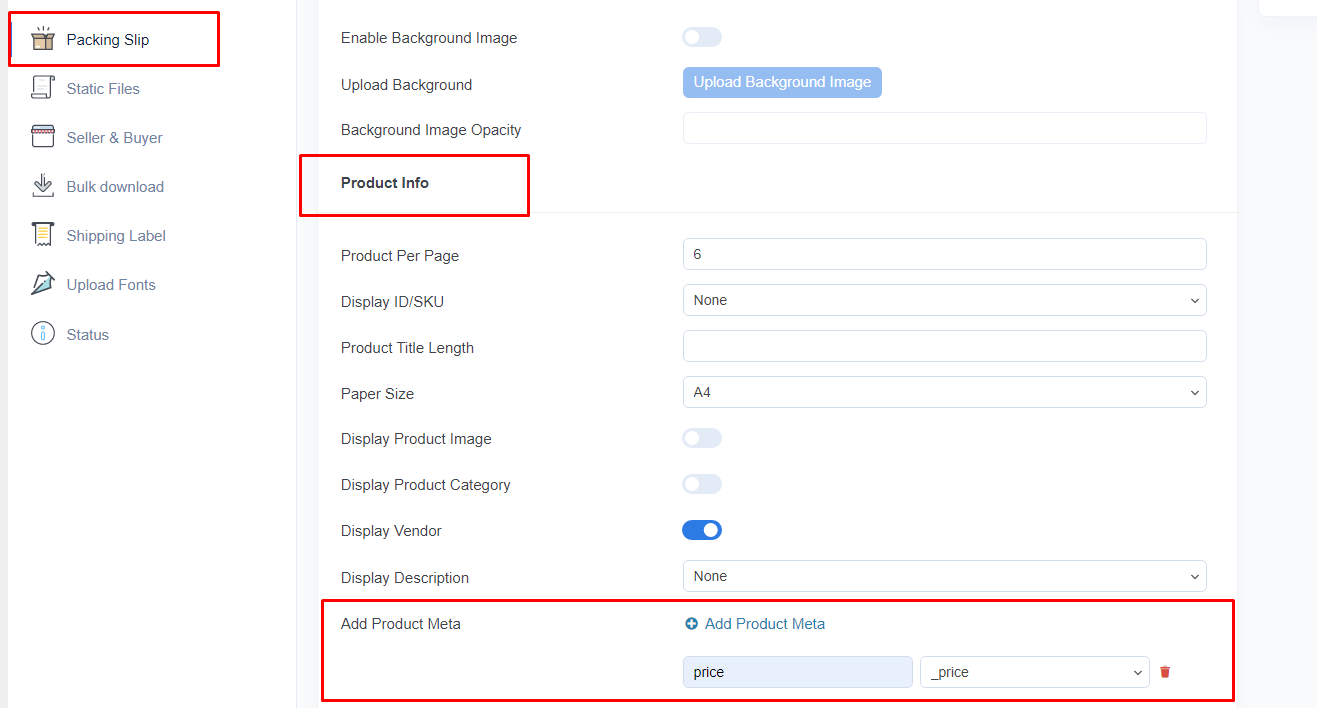
How to add product meta in the packing slip? - kUvLPPPXue5G9339qrpUUd8ETbfOeq005nFSSTwQUNA1bUwyJGotS3Zu5uz9BWXopNngGi7vcifnxu5CjJgOxtFE0Q69wJXBhIQ4fZfF51kcHkNUQU1rvVMRbVKDqH03PWUBhmY8BrL85pz
  1. You’ll see all the available product meta like this:
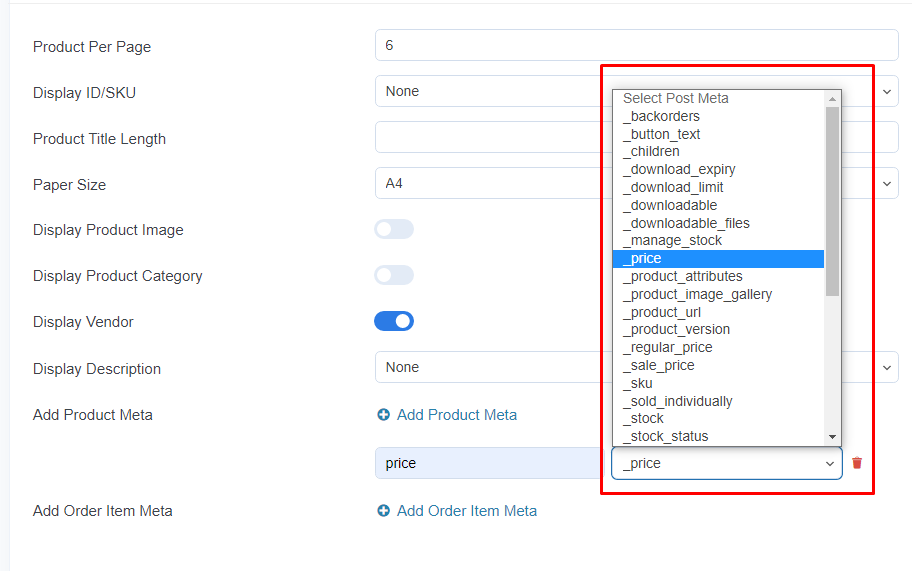
How to add product meta in the packing slip? - yOzuMZNfWXFrpmEVfFEVyMcp4jyTiC7LjbhtVaUZpdxDfh FWFEZ 9Q5fwc7KVU3PyB8JuJdtfCo7IVTmvW5BDqj6QTWds4ZTlnl G2KmbrIvcUr0MxB81YgCE9GHjXB JJYpsXn36uZhsLXyySCqHgmv1HbVQ R8Q9Oq 8aXonBRkMKIR2nHgyA

Select one and add a “label” then click again “+Add Product Meta” button if you need to add another product meta.

Leave a Reply