
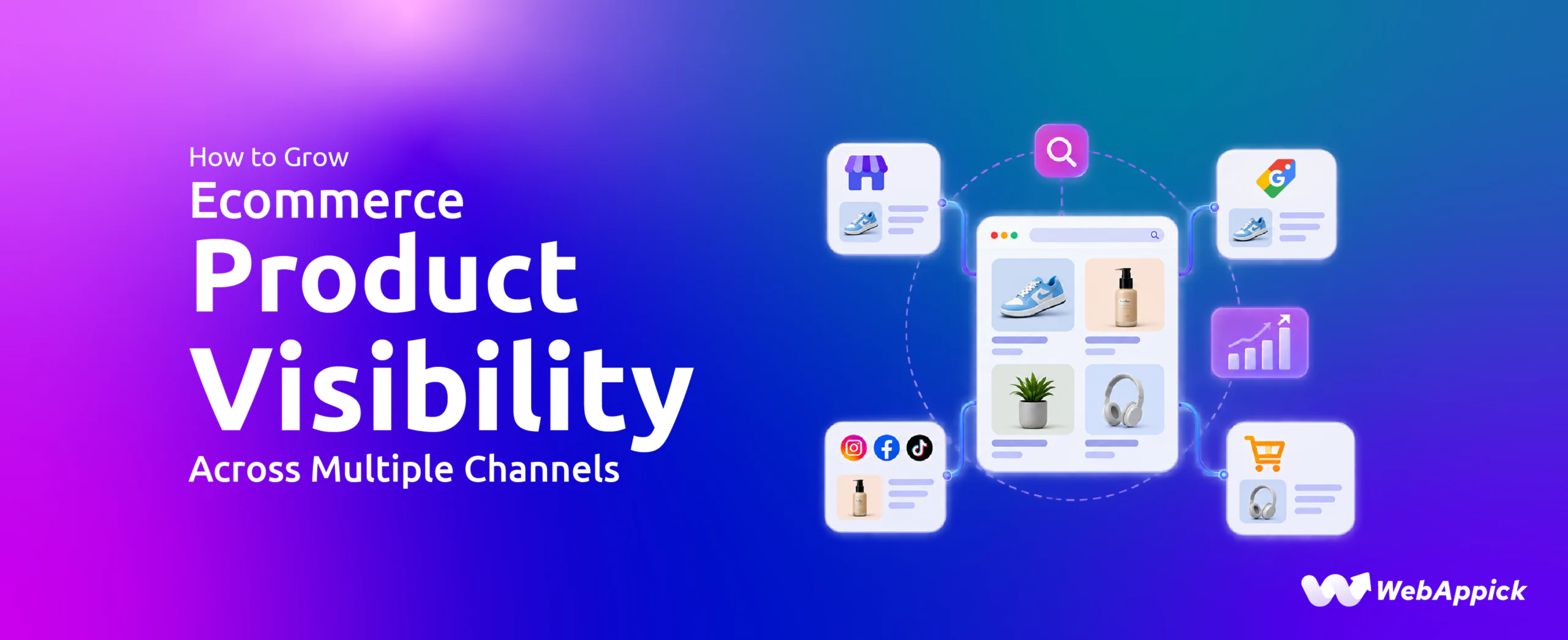
Getting a product in front of the right shopper is one of the basic challenges of ecommerce. Your store may have the right products, competitive prices, and a smooth checkout, but shoppers still need a way to find those products.
Today, most product discovery happens outside a brand’s own website. People search on Google, scroll through social platforms, compare options on marketplaces, and check prices on comparison sites.
A multichannel product feed strategy helps you reach shoppers in those places. You can send your ecommerce catalog to the relevant channels and prepare your product information for each one.
In this guide, you’ll learn what ecommerce product visibility means, which channels matter, how product feeds make multichannel distribution possible, and how to manage it all with CTX Feed Pro.
What Does Product Visibility Mean for Your Ecommerce Store?
Ecommerce product visibility means making your products discoverable beyond your own website, through the channels your customers actually use.
Shoppers don’t all find products the same way. Someone looking for an office chair might:
- Search Google for available options
- Discover another chair through Instagram or TikTok
- Compare sellers on a marketplace
- Check prices on a comparison platform
- Visit your ecommerce store before purchasing
These are different paths, but they can all lead to products in the same ecommerce catalog. Your store stays the place where you manage products and complete sales, while other channels give shoppers more chances to find you.
The goal is not to list every product on every platform. It is to identify where your potential customers search and shop, then make the right products available there
Ready to reach shoppers beyond your website? See how CTX Feed Pro works.
Where Do Ecommerce Shoppers Discover Products?
Online product discovery happens across several types of channels, and each supports a different part of the shopping journey.
| Channel type | Examples | How shoppers use them |
| AI-powered search and shopping | ChatGPT, Perplexity | Discover products, compare options, ask for personalized recommendations, and explore buying options through ChatGPT and Perplexity. |
| Search & shopping | Google Shopping, Bing | Search for products and compare options |
| Social commerce | Facebook, Instagram, TikTok, Pinterest | Discover products while browsing social content |
| Marketplaces | Amazon, eBay, Etsy, Walmart | Browse and compare products from different sellers |
| Price comparison | PriceRunner, PriceSpy | Compare products and prices across retailers |
| Product discovery | Fruugo, Rakuten and other supported platforms | Discover products through shopping and partner networks |
The right mix depends on your product category, target audience, location, and business model. A fashion store may prioritize visual and social channels, while a store selling specialized products may rely more on search, marketplaces, or comparison platforms.
Why Ecommerce Stores Struggle With Multi-Channel Product Distribution
When your store has a few dozen products, keeping them listed on one or two channels is manageable. But as your store grows into a large catalog with hundreds or thousands of products, and you add more channels, the work multiplies quickly. Every new product, price change, and stock update has to reach every channel correctly.
That’s where things start to slip. One channel calls it “color,” another expects “colour.” One needs a GTIN, another needs an MPN. Your store’s categories don’t match the channel’s. With large catalogs, these small differences add up fast, leading to attribute mismatches, rejected products, and listings that no longer reflect what’s in your store.
Each platform can have its own:
- Product attributes
- Category taxonomies
- Required identifiers
- Feed formats
- Product-selection requirements
- Pricing and availability expectations
At the same time, your catalog keeps changing. New products are added, prices change, products go out of stock, and sales start and end.
This creates three common challenges.
Incomplete or Incorrect Product Data
Shopping platforms need structured product information, such as titles, descriptions, images, prices, availability, categories, brands, GTINs, and MPNs. When this information is missing or wrong, products can generate feed errors, be miscategorized, or fail a channel’s requirements.
Manual Feed Management
Updating separate files by hand for every channel becomes harder as your catalog grows. One price change might need to be reflected in several feeds, and a discontinued product may need to be removed from each one. Without an efficient workflow, your product information quickly becomes inconsistent across channels.
Limited Control Over Product Distribution
Not every product belongs on every channel. You may want to exclude discontinued items, leave out products with incomplete data, or send different product selections to different destinations. That takes more than a simple product export.
Tired of fixing attribute mismatches by hand? Let CTX Feed Pro handle it. Fix My Feeds →
How Product Feeds Make Multi-Channel Ecommerce Visibility Possible
A product feed is a structured file containing your product information, such as titles, descriptions, prices, availability, images, categories, and identifiers. Shopping and advertising platforms use this file to create your product listings.
Instead of entering products into every channel by hand, you generate a feed from your catalog and submit it:
Ecommerce catalog → Product feed → Shopping channel → Product listing
But each channel expects data in its own structure. A Google Shopping feed uses Google’s product taxonomy and attributes, a marketplace may use a different category structure, and a social platform may require its own catalog fields.
So a useful feed workflow does more than export products. It prepares your product information for the channel receiving it.
How to Optimize Ecommerce Product Feeds for Different Channels
Once you know what each channel needs, the next step is preparing your catalog for it.
| Common feed problem | What can happen | How to fix it |
| Brand, GTIN, or other identifiers are missing | Product eligibility may be affected | Map available attributes and identifiers |
| Product is in the wrong category | The product may be classified incorrectly | Map store categories to the channel’s taxonomy |
| Image, description, or other details are missing | The feed may generate errors | Filter out products that don’t meet requirements |
| Price or stock status is outdated | The channel may flag a mismatch | Regenerate the feed regularly |
Here’s how CTX Feed Pro handles each of these.
1. Map Ecommerce Store Categories to Channel Taxonomies
Your store categories and a channel’s taxonomy rarely match. Your store might use Water Bottles, while a channel requires a more specific category from its own list.
CTX Feed’s category mapping connects your store categories to the matching channel categories. You set it up once per category instead of assigning categories product by product, which saves a lot of time on larger catalogs.
2. Map Missing Product Attributes
When the information a channel needs is stored in different places in your store, CTX Feed Pro’s attribute mapping and Dynamic Attributes can pull it from:
- Custom fields
- Product attributes
- Static values
- Dynamic values based on conditions
- Supported plugin data
This lets you use the data you already have without editing every product.
3. Filter Products Before Sending Them
CTX Feed Pro’s smart and advanced filters let you include or exclude products by category, price, stock status, title, attributes, and other catalog conditions. Each channel gets only the products you want to send.
4. Optimize Product Titles and Attributes
Clear titles help channels and shoppers understand your products. Instead of:
Office Chair
a more descriptive title might be:
Ergonomic Mesh Office Chair With Adjustable Lumbar Support
CTX Feed Pro’s title optimization and Dynamic Attributes can combine brand, color, size, and other attributes into feed titles. The goal is to make each product clearly identifiable, not to stuff in keywords.
Map categories, fill in missing attributes, and filter products in one place. Start optimizing with CTX Feed Pro.
Keep Ecommerce Product Feeds Updated
A correctly built feed is only the beginning. Your catalog keeps changing, and if your feed doesn’t reflect those changes, channels receive outdated information.
Update Feeds Automatically
CTX Feed can regenerate active feeds automatically every 5, 15, or 30 minutes, or on a custom schedule. Very frequent updates can increase server load, so pick an interval that fits how often your catalog changes and what your hosting can handle.
Keep Prices and Availability Synchronized
Say a product drops from $79 to $59 in your store. If the feed still shows $79, the channel may flag a price mismatch. The same applies to stock: a product that’s sold out in your store but still marked available in the feed sends wrong information to the channel.
Regular feed regeneration keeps both aligned with your store.
Deliver Updated Feeds Automatically
Depending on the channel, feeds can be delivered through a feed URL or uploaded via FTP/SFTP. CTX Feed supports FTP uploads, and some platforms offer FTP/SFTP options for more frequent updates.
The workflow becomes:
Update product in your store → feed regenerates → channel receives updated information
Instead of:
Update product → export file → edit file → upload manually → repeat for every channel
Stop uploading feeds manually. Automate My Feed Updates →
Manage Multiple Channel Feeds From One Ecommerce Catalog
Your ecommerce store stays the single source of your product information, while individual feeds prepare it for each destination. For example, you can create:
- A Google Shopping feed
- A Facebook or Instagram catalog feed
- A TikTok feed
- A Pinterest feed
- A Bing feed
- Marketplace feeds
- Comparison-platform feeds
One ecommerce catalog does not mean one identical feed. The same product information can be mapped, filtered, and formatted differently for each channel.
CTX Feed also lets you duplicate an existing feed and adjust the copy for another channel, so you don’t repeat the same setup work.
Expand Your Ecommerce Product Distribution to 220+ Channels
Once your feed workflow is in place, you can add new channels without rebuilding your catalog.
CTX Feed supports 220+ channels with ready-made templates, including Google, Facebook, Instagram, TikTok, Pinterest, Bing, eBay, Fruugo, Rakuten, and PriceRunner. You can choose channels based on:
- Product category
- Target customers
- Geographic market
- Shopping behavior
- Business goals
You don’t need to use every channel. Broad channel support lets you add the right ones as your strategy grows.
Browse all 220+ supported channels →
Reach International Ecommerce Markets With Multilingual Feeds
Selling in multiple languages means your feeds need translated product information too.
CTX Feed Pro creates multilingual feeds with WPML, Polylang, TranslatePress, and Weglot. You can generate a separate feed for each language from your translated content instead of maintaining a separate catalog for each market.
CTX Feed Pro for Ecommerce Product Feed Management
CTX Feed Pro brings this whole workflow together in one ecommerce product feed management system.
| Feature | What it helps you do |
| 220+ channels | Create feeds for a wide range of shopping and marketing destinations |
| Ready-made templates | Start with prebuilt feed structures for popular channels |
| Category mapping | Map ecommerce store categories to channel-specific taxonomies |
| Attribute mapping | Connect product information to the fields required by a feed |
| Dynamic Attributes | Create conditional product values |
| Smart & Advanced Filters | Include or exclude products by category, price, stock status, title, or attributes, so each channel gets only the products you want to send |
| Title optimization | Build more descriptive feed titles from product attributes |
| Automatic updates | Regenerate feeds every 5, 15, or 30 minutes, or on a custom schedule |
| Multiple feed formats | Create feeds in XML, CSV, TSV, XLS, TXT, or JSON to match each channel’s requirements |
| Multilingual feeds | Create feeds from translated product information with WPML, Polylang, TranslatePress, or Weglot |
| Custom templates | Create customized feed structures when a ready-made template is not enough |

Final Thoughts on Ecommerce Product Visibility
Your ecommerce store is where you manage and sell your products, but most shoppers find products somewhere else first, on Google Shopping, social media, marketplaces, or price comparison sites.
To reach them, your products need to be on those channels, with the right information in the format each channel expects. Doing that by hand for every channel leads to outdated prices, missing details, and feed errors.
Better distribution means sending the right products, with the right information, to the right channels, and keeping that information current automatically.
CTX Feed Pro turns your ecommerce catalog into ready-to-submit feeds for 220+ channels. It keeps your product information accurate everywhere you sell.
Frequently Asked Questions About Ecommerce Product Feeds
What is a product feed?
A product feed is a file that holds your product details, such as titles, prices, images, stock status, and categories. Shopping channels like Google, Facebook, and TikTok use it to show your products to shoppers.
Which channels can I send my products to?
You can send your products to search engines, social platforms, marketplaces, and price comparison sites. CTX Feed Pro supports 220+ channels.
Do I have to build every feed from scratch?
No. CTX Feed Pro has ready-made templates for popular channels. Pick a template, adjust it if needed, and your feed is ready.
Can I create a feed for Google Shopping?
Yes. Use CTX Feed Pro’s Google Shopping template, map your categories to Google’s taxonomy, and fill in required fields like brand and GTIN.
Can I create feeds for Facebook, Instagram, and TikTok?
Yes. CTX Feed Pro includes templates for all three, so you can list your products on social platforms without manual uploads.
How do I keep prices and stock updated in my feeds?
Set an update schedule in CTX Feed Pro. Your feeds regenerate automatically, so price and stock changes reach your channels without manual work.
Can I choose which products go into a feed?
Yes. Use CTX Feed Pro’s filters to include or exclude products by category, price, stock status, and more.
What if my store categories don’t match a channel’s categories?
Use category mapping. Connect each store category to the channel’s category once, and it applies to every product in that category.
What file formats does CTX Feed Pro support?
XML, CSV, TSV, XLS, TXT, and JSON, so you can match whatever format each channel requires.
Can I create feeds in different languages?
Yes. CTX Feed Pro works with WPML, Polylang, TranslatePress, and Weglot to create feeds from your translated product information.
Do I need to set up each channel’s feed separately?
Not from scratch. Duplicate an existing feed in CTX Feed Pro and adjust the copy for the new channel.

Free version on WordPress.org. Every Pro licence includes a 30-day money-back guarantee.

