
To add brands to WooCommerce products, install a dedicated brand plugin that creates a brand taxonomy, then assign each product to a brand from the product edit screen. The plugin displays the brand on product and category pages and lets shoppers filter by it.
Below are eight plugins that do this, from free lightweight options to premium tools with filtering and layered navigation.
How to Add a Brand to a WooCommerce Product
- Install and activate a brand plugin (any of the options below).
- Go to Products > Brands (the exact menu label varies slightly by plugin, sometimes under WooCommerce > Settings).
- Add a brand name, description, and logo image.
- Open a product, and assign it to one or more brands the same way you’d assign a category.
- Configure where the brand displays: product page, shop page, or category archive, depending on what the plugin supports.
- Add a brands widget, shortcode, or block to show a full brand list or an A–Z index on a page.
Most of the plugins below also support filtering, so shoppers can narrow products down to a single brand from the shop or category page.
WooCommerce Brand Plugins Compared
1. Perfect Brands for WooCommerce
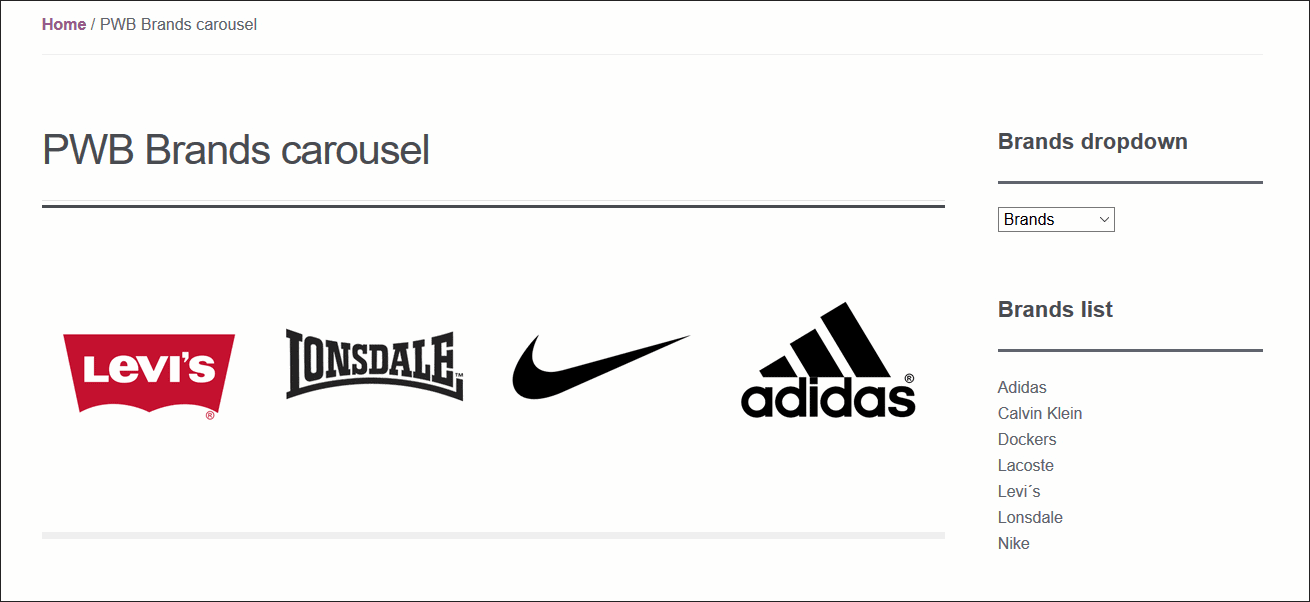
Perfect Brands for WooCommerce (formerly listed as “Perfect WooCommerce Brand,” now maintained by QuadLayers) lets you assign brands to products, add a banner and link to each brand, and display a brand tab on the single product page.
Features:
- Assign brands to products, with a banner and link for each brand
- Brand tab on the single product page
- Customizable brand slug
- Shortcodes for a full brand list, brand carousel, brand dropdown, and A–Z listing
- Widget to filter products by brand
- WooCommerce REST API support
- Translation-ready
The core plugin is free. A premium version is now available with additional brand-page controls; check the current feature comparison and pricing on the official listing before publishing, since premium tiers change.
2. WooCommerce Brands (Official Extension)
WooCommerce Brands is the official WooCommerce.com extension. It lets you create, assign, and describe brands, and list them with an A–Z shortcode.
Features:
- Assign brands to products
- A–Z shortcode listing
- Sidebar widget display
- Thumbnail shortcode display
- Layered nav widget so customers can browse by brand attribute

WooCommerce.com extensions in this category are typically priced per site with a year of updates and support included. Check the current price on the official WooCommerce Brands listing before publishing, since WooCommerce periodically adjusts extension pricing.
3. Ultimate WooCommerce Brands Plugin
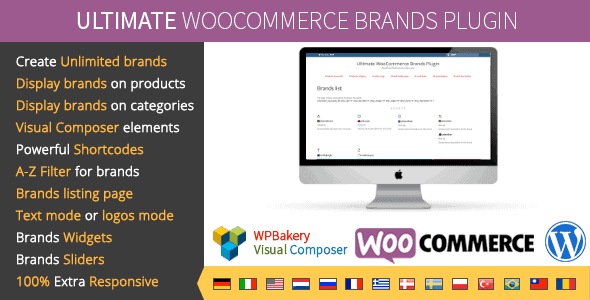
Ultimate WooCommerce Brands (by developer dedalx, distributed through CodeCanyon) lets you create unlimited brand categories and display the brand name or logo on product and category pages in a custom position.
Features:
- Unlimited brand categories, with multiple brands per product
- Brand name/logo display in 8 positions on the product page
- Brand filtering with a dedicated brand page per brand
- Sidebar widget for the brand list
- Works with any WooCommerce-compatible theme
At the time of writing, the plugin’s public changelog shows its last listed update around 2021. Confirm current WooCommerce and PHP compatibility directly with the developer before recommending it for a live store.
4. Brand for WooCommerce Plugin
This plugin lets you create a brand with a name, description, and image, then display products by brand ID using a shortcode.
Features:
- Widget with links to brand pages
- Slider for brand links
- Custom images and pages per brand
- Shortcode to display products by brand ID
- Shortcode and widget for a brand list by name
- Option to show the brand image on product pages

This plugin has an open-source base with a paid version offering additional customization. Confirm current pricing on the official page before publishing.
5. YITH WooCommerce Brands Add-On
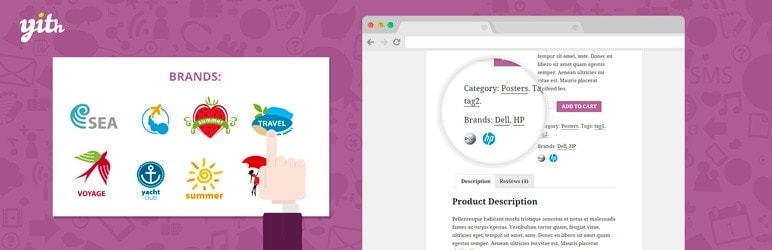
YITH WooCommerce Brands Add-On adds a brand system to any product or category, with hierarchical brand management and dynamic brand-name insertion into product titles.
Features:
- One or more brands per product
- Five widgets included
- Custom banner display per brand
- Hierarchical brand organization
- Turns existing taxonomies or attributes into brands
- Eight shortcodes and five widgets
YITH offers a free version on WordPress.org and a premium version with a one-year license for updates and support. Check yithemes.com for current premium pricing before publishing, since it varies by currency and region.
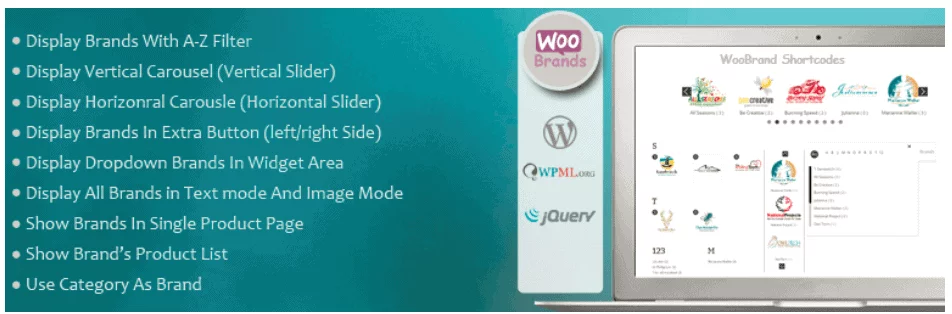
6. WooCommerce Brand WordPress Plugin
This plugin assigns brands to products and displays them on single product pages and shop category pages, with an AJAX filter (dropdown and multi-select) for brand browsing.
Features:
- Advanced settings page
- Extra buttons and widgets
- Multisite and WPML support
- Ten display views
- Option to show or hide the brand title and extra buttons
- Option to show featured brands only
Confirm current pricing and support terms on the official plugin page before publishing.
7. Premmerce WooCommerce Brands
Premmerce WooCommerce Brands lets you create an unlimited number of brands and assign them to products for better cataloging and brand-based promotion, using standard WordPress taxonomy features.
Features:
- Create, edit, and delete brands
- Shortcode to display the brand list
- Sort products by brand
- Semantic markup for brand data on the product page

Confirm on the current plugin listing whether a premium tier has since been introduced, since free-only plugins frequently add paid tiers over time.
Filtering Products by Brand
Most of the plugins above include a brand filter, either as a widget, a shortcode, or an AJAX-based dropdown. If filtering matters more to you than brand pages themselves, prioritize plugins with a dedicated layered-nav or AJAX filter widget, such as the official WooCommerce Brands extension or the WooCommerce Brand WordPress Plugin above, over lighter options built mainly for display.
Frequently Asked Questions
How do I add a brand to a WooCommerce product?
Install a brand plugin, add your brands under the plugin’s brand menu, then open each product and assign it to a brand the same way you’d assign a product category. The brand then displays wherever the plugin is configured to show it.
Can I filter WooCommerce products by brand?
Yes. Most brand plugins add a filter widget or shortcode that lets customers narrow the shop or category page down to a single brand. Some also support AJAX filtering, so the page updates without a full reload.
Is there a free WooCommerce brand plugin?
Several of the options above have a free core version, including Perfect Brands for WooCommerce, YITH WooCommerce Brands Add-On, and Premmerce WooCommerce Brands. Free versions typically cover brand creation, assignment, and basic display, with filtering or design controls reserved for paid tiers.
Does WooCommerce have brands built in?
No. WooCommerce doesn’t include brand functionality by default. You need a plugin, either the official WooCommerce Brands extension or a third-party option, to create a brand taxonomy and display it on your store.
Key Takeaways
- WooCommerce doesn’t include brand functionality natively; you need a dedicated plugin to create a brand taxonomy.
- Free options like Perfect Brands for WooCommerce and YITH WooCommerce Brands Add-On cover the basics: brand creation, product assignment, and display.
- If brand filtering is your priority, look for a plugin with a layered-nav or AJAX filter widget rather than one built mainly for brand pages.
- Always confirm current pricing and WooCommerce compatibility on the official plugin page before installing, since plans and update cadence change.
- Check when a plugin was last updated. A brand plugin without recent WooCommerce-version compatibility updates carries more risk than one actively maintained.

Free version on WordPress.org. Every Pro licence includes a 30-day money-back guarantee.

