
A discount can attract a customer, but the right pricing strategy can influence how much they buy.
Most WooCommerce stores rely on fixed prices, coupons, and occasional promotions. While these methods work for many situations, they can make it difficult to create offers that respond to what customers are actually buying.
This is where dynamic pricing can make a difference. Instead of applying the same discount to everyone, you can set pricing rules that adjust the offer based on factors such as product quantity, cart value, specific products, or combinations of items. For example, you can offer a discount when someone buys 3 or more products, give a better price when their cart reaches a certain value, or offer a free item after they spend a specific amount.
But creating these offers is only part of the process. Your pricing rules need to be configured correctly, work together as intended, and make sense for both your customers and your store.
Otherwise, a promotion that looks good on paper can create unexpected discounts, confusing offers, or pricing problems.
This guide covers everything you need to know about WooCommerce dynamic pricing, including how it works, the different types of pricing rules, common mistakes, setup, best practices, advanced strategies, troubleshooting, and the tools that can make managing your pricing rules easier.
Whether you’re creating your first dynamic pricing offer or improving an existing strategy, this guide will help you build a pricing setup that’s easier to manage and better suited to your WooCommerce store.
Chapter 1: What Is WooCommerce Dynamic Pricing?
The basic idea is simple:
Condition → Action
Condition: The cart has 3 or more units of Product A
Action: Apply 15% off
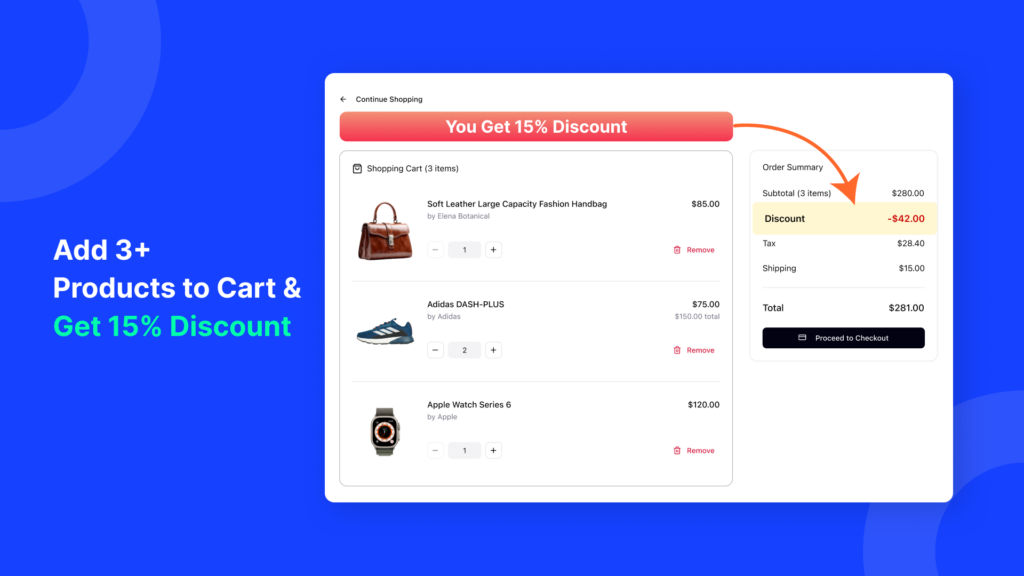
WooCommerce dynamic pricing lets you automatically change prices based on rules you set in advance. These rules can depend on things like how many products are in the cart, the customer’s role, the cart total, or whether a sale is running.
Once a rule is triggered, the discount is applied automatically. Customers don’t need to enter a coupon code, and you don’t have to change prices manually. This makes the buying process easier and can also help increase your average order value.
Once you understand the condition → action pattern, the rest is easy. Category discounts, tag-based pricing, product combinations, BOGO offers, cart-wide discounts, and role-based pricing all work in basically the same way.
One important thing to know: in the WooCommerce world, “dynamic pricing” usually means rule-based discounts. In other words, the price changes when a specific condition is met.
It’s different from true algorithmic repricing, where prices change automatically based on things like demand, competitors, or market conditions. The two terms are sometimes used interchangeably, but they’re not the same.
In this guide, we use “dynamic pricing” in the way WooCommerce store owners usually mean it: rule-based pricing and discounts.
If you’re comparing different discount types, it’s helpful to understand this difference so you can choose the right type of pricing solution for your store.
Chapter 2: Why Dynamic Pricing Matters for a WooCommerce Store
Pricing rules don’t just change prices — they can influence what customers choose to buy.
As pricing consultant Nick Kolenda explains, price is largely about perception. When shoppers see a discount for buying more, they may feel that adding another item gives them better value.
For a WooCommerce store, this matters for three main reasons:
- Increase AOV without more traffic. Instead of finding new visitors, you can encourage existing customers to add more to their cart. For example, offering a discount when they buy 3 items can make a larger order more appealing.
- Automate your discounts. You don’t have to decide manually which orders should receive a discount. Once you set the rule, WooCommerce can apply it automatically and consistently.
- Reduce reliance on coupon codes. Coupon-based promotions require customers to find and enter a code. Automatic discounts remove that extra step and show the offer directly in the shopping experience.
For WooCommerce stores competing in a crowded ecommerce market, smart pricing rules can be a simple way to encourage larger purchases without relying entirely on more traffic or bigger advertising budgets.
Chapter 3: Benefits of WooCommerce Dynamic Pricing
Dynamic pricing can do more than offer discounts. When used correctly, it can help you increase sales, manage inventory, and reduce the amount of manual work involved in running promotions.
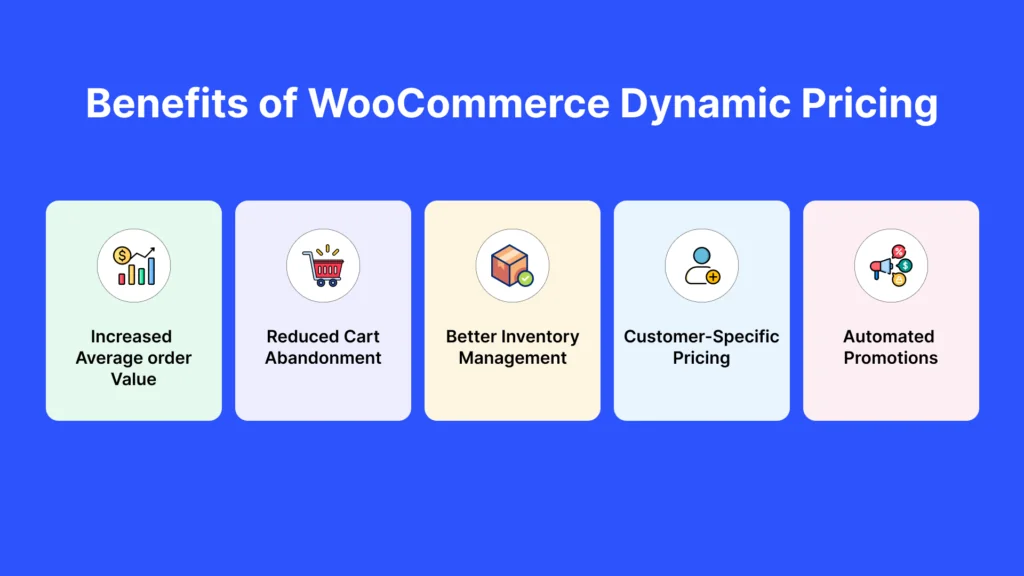
- Increase average order value (AOV). Quantity-based and cart-value discounts encourage customers to add more products to their orders instead of simply trying to get more orders.
- Reduce cart abandonment. When customers can see their savings automatically, they don’t need to stop at checkout to find or enter a coupon code. This removes an extra step from the buying process.
- Manage inventory more effectively. You can use category- or tag-based discounts to promote slow-moving products without discounting your entire store. This gives you more control over where your discounts apply.
- Offer different prices to different customers. You can create special pricing for wholesalers, loyal customers, or specific user roles without maintaining separate price lists manually.
- Save time on promotions. Once your pricing rules are set up and tested, they can run automatically. You don’t need to create and manage individual coupon campaigns for every promotion.
- Create a more consistent pricing strategy. Offers such as “Buy more, save more” give customers a clear reason to purchase more. Compared with constantly running storewide sales, targeted discounts can make your promotions feel more intentional.
Chapter 4: Common Mistakes with WooCommerce Pricing Rules
Even a good pricing strategy can cause problems when the rules aren’t configured carefully. These are some of the most common mistakes to avoid:
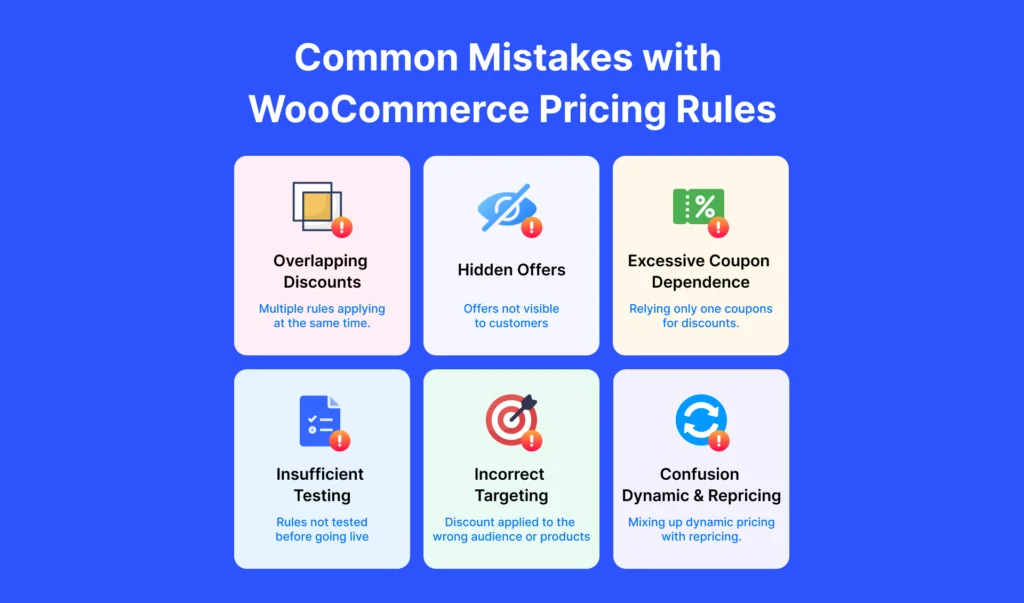
- Creating overlapping rules: When two or more discounts apply to the same cart, they can conflict or give customers a larger discount than intended. Check how your rules interact before making them live.
- Not showing customers the offer: Customers are more likely to respond to a deal they know about. Messages such as “Buy 3 and save 10%” can encourage larger purchases, while discounts that appear only at checkout may go unnoticed.
- Relying too much on coupon codes: Coupon codes add an extra step to the buying process. When the discount can be applied automatically, customers can get the offer without having to remember or enter a code.
- Skipping testing: Always test your pricing rules before activating them. Try different products, quantities, and cart totals to make sure the right discount is applied in each situation.
- Using the same discount for every product: Different products have different profit margins. A discount that works for one category may be too costly for another. Target specific products or categories when needed.
- Confusing dynamic pricing with dynamic repricing: WooCommerce dynamic pricing usually means rule-based discounts triggered by conditions you define. It is different from systems that automatically change prices based on demand, competitors, or market conditions.
Chapter 5: How to Set Up WooCommerce Dynamic Pricing
Setting up dynamic pricing is easier when you start with one simple rule and test it before adding more advanced options.
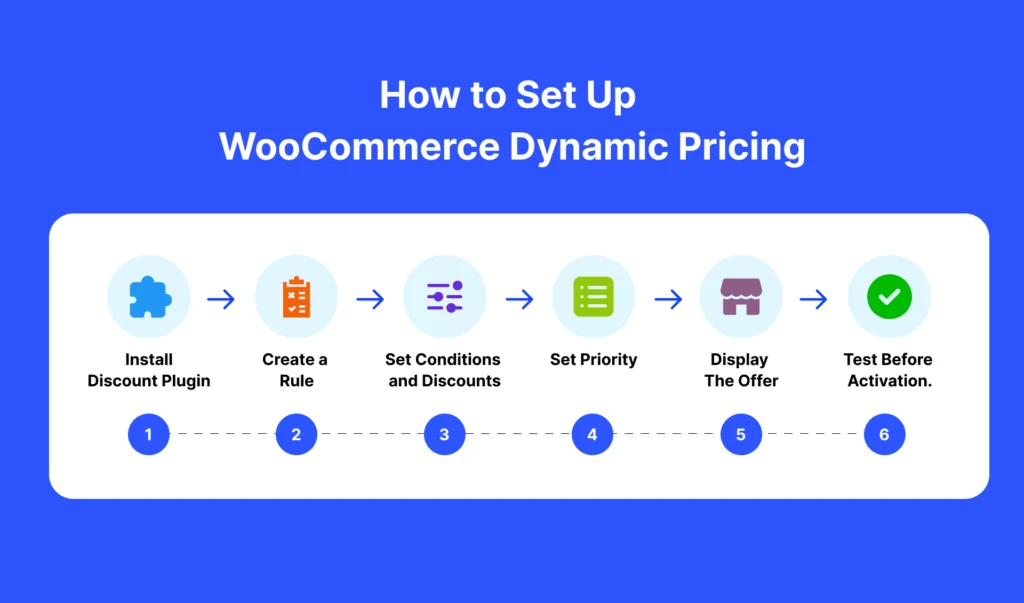
- Install a WooCommerce discount rules plugin. Free versions usually support basic percentage or fixed discounts, along with simple product and cart conditions. Paid versions may include features such as BOGO offers, tiered pricing, and role-based discounts.
- Create your first pricing rule. Open the plugin’s rules section, create a new rule, and choose the following settings:
- Discount type: Choose a percentage discount, a fixed amount, or a fixed product price.
- Products or categories: Select specific products, categories, tags, or the entire cart.
- Condition: Set a requirement such as a minimum quantity, cart subtotal, or customer role.
- Set a rule priority. If you plan to use multiple rules, decide which rule should apply when their conditions overlap. Setting priorities can help prevent discounts from stacking unexpectedly or conflicting with each other.
- Display the offer on the product page. If your plugin includes a pricing or offer table, enable it. Showing messages such as “Buy 3 and save 10%” helps customers understand how they can save before they reach checkout.
- Test the complete purchase process. Add the product to the cart, increase and decrease the quantity, and remove the item. Check that the price updates correctly on the product page, in the cart, and at checkout.
- Activate the rule. Enable the rule for customers only after it has passed your tests. If possible, monitor the first few orders to make sure the discount continues to work as expected.
Start with a simple quantity discount before adding category, tag-based, or BOGO rules. For a basic product-level setup, see how to add product discounts in WooCommerce. For quantity-based offers, how to set up a bulk order discount in WooCommerce explains the process in more detail.
Chapter 6: Best Practices for WooCommerce Pricing Strategy
A good pricing strategy doesn’t need to be complicated. Start with a few clear rules, see how customers respond, and improve them over time.
- Start small and expand gradually. Begin with one simple rule for a specific product or category. Once it works as expected, add more rules. This is easier to manage than creating several overlapping rules at once.
- Show discounts before checkout. Let customers see the offer while they’re shopping. Messages such as “Buy 2, save 10%” can encourage customers to add more products instead of discovering the discount only at checkout.
- Match the discount to your goal. Different offers serve different purposes. Quantity discounts can encourage larger purchases, BOGO offers can help move specific products, and cart-value discounts can increase average order value.
- Use coupons for targeted campaigns. Automatic discounts work well for regular store promotions, while coupon codes are useful for email campaigns, influencer promotions, or offers aimed at specific customers.
- Review your pricing rules regularly. A discount that works well today may not remain profitable later. Check sales, average order value, and profit margins regularly to make sure your pricing rules are still delivering results.
- Keep wholesale pricing separate from public promotions. If certain customers or user roles receive special pricing, keep those rules separate from regular store discounts. This reduces conflicts and helps prevent unexpected discounts.
Chapter 7: Advanced Tips for Dynamic Pricing Rules
Once you’re comfortable with basic pricing rules, you can use a few more advanced strategies to make your discounts more targeted and effective.
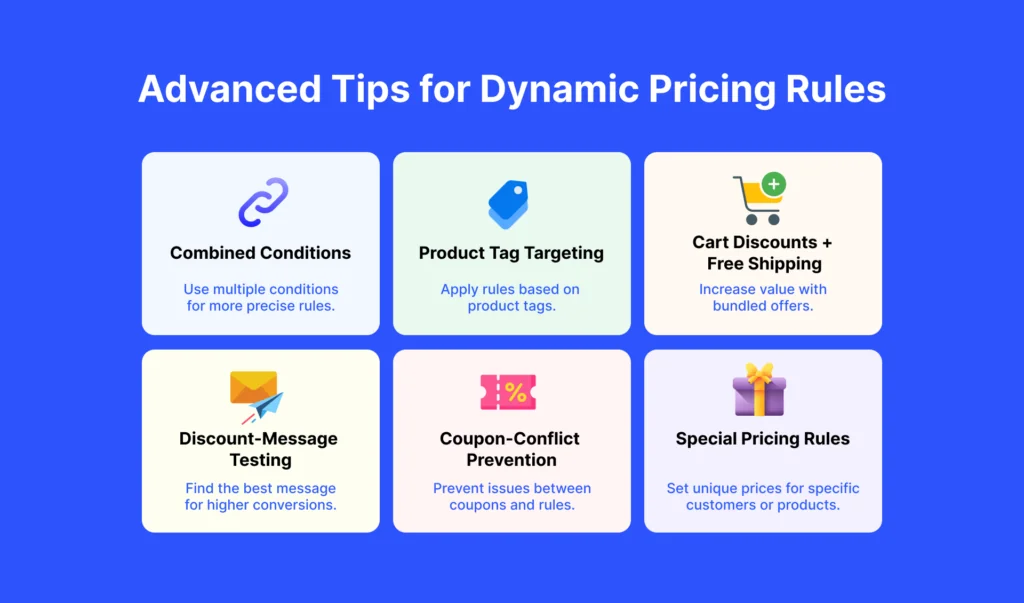
- Combine conditions in one rule. If your plugin allows it, combine conditions such as product quantity and customer role within the same rule. This is usually easier to manage than creating several separate rules that might conflict with each other.
- Use product tags for flexible promotions. Tags can group products across different categories. For example, you could create a discount for products tagged “clearance,” “new-arrival,” or “seasonal,” even if those products belong to different categories.
- Combine cart discounts with free shipping. You can encourage larger orders by combining a quantity discount with a free-shipping threshold. For example, customers could get a discount when they buy more products and free shipping when their cart reaches a certain value.
- Test how you present the discount. The way you describe an offer can affect how customers respond to it. For example, test “Save $10” against “10% off” to see which message works better for your products and customers.
- Be careful when combining automatic coupons with pricing rules. If you use auto-applied coupons, make sure they don’t also apply to products that already have a discount. Otherwise, customers could receive two discounts when you intended to give them only one.
- Keep subscription and other special pricing rules in mind. If your store uses subscription pricing or other customer-specific discounts, check how those rules interact with your dynamic pricing rules. Testing different combinations can help prevent unexpected discounts.
Chapter 8: Troubleshooting WooCommerce Dynamic Pricing
Even well-designed pricing rules can sometimes behave unexpectedly. Here are some common problems and what to check first.
Discount isn’t applying
Start by checking whether the rule is active and has the correct priority. Then make sure the product is included in the rule’s selected products, category, or tag.
Two discounts are being applied
This usually happens when multiple rules can apply to the same cart. Check the rule priorities and decide which discount should take precedence. You can also use exclusion settings to prevent certain rules from being combined.
Discount appears on the product page but not at checkout
First, clear your site cache and browser cache. Cached content can sometimes prevent updated prices or cart totals from appearing correctly. If the problem continues, check the rule conditions and checkout settings.
Wholesale pricing is visible to everyone
Check the rule’s customer role condition. Make sure the rule is limited to the intended user role, such as wholesale customers, rather than being set to apply to all customers.
Pricing table isn’t showing
Check whether the pricing table/display option is enabled for that specific rule. In many pricing plugins, this is a rule-level setting, so the discount can be active even when its pricing table isn’t displayed.
If you’re setting a discount without a dynamic pricing plugin, you can also check the available WooCommerce discount settings.
Chapter 9: Recommended Tool — Disco
Once you understand the basics, the easiest way to put dynamic pricing into practice is to use a plugin built for it.
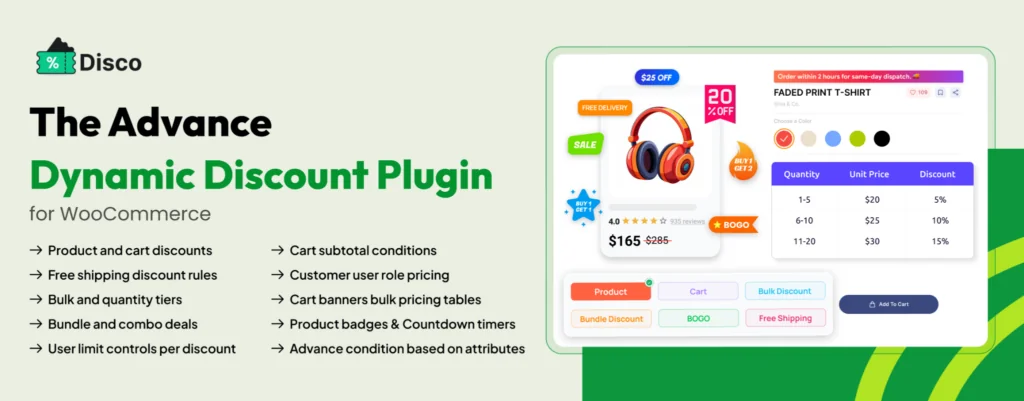
Disco automatically applies discounts based on the rules you create, so customers don’t need to enter coupon codes. It’s designed for rule-based pricing and discounts, rather than demand-based pricing.
What Disco offers
- Free: Basic product and cart discounts.
- Pro: More advanced options, including BOGO deals, tiered pricing, role-based and wholesale pricing, scheduled promotions, free gifts, free shipping, and pricing tables.
These features let you build more targeted promotions without having to manage each discount manually.
| Disco reports an average 23% increase in AOV across 700+ stores. |
This is a vendor-reported figure and has not been independently audited, so it’s best treated as a reported result rather than a guaranteed outcome.
If you’re comparing pricing plugins, you can also look at how Disco compares with other WooCommerce discount-rule solutions before choosing one.
Chapter 10: Summary
WooCommerce dynamic pricing is simple at its core: set a condition, define an action, and let the rule do the work.
When used strategically, dynamic pricing can help you:
- Increase average order value by giving customers a reason to buy more.
- Reduce coupon dependency with discounts that apply automatically.
- Save time by replacing repetitive manual discount work with automated rules.
- Move the right products by targeting specific products, categories, customers, or quantities.
- Create better promotions with quantity discounts, BOGO offers, tiered pricing, cart-based discounts, and more.
But the goal isn’t to create as many pricing rules as possible. The goal is to create the right rules for your store.
Keep your pricing strategy simple. Make discounts visible before checkout. Avoid overlapping rules. Test every promotion before launching it, and always check whether the extra sales are actually worth the discount you’re giving.
Most importantly, remember that dynamic pricing is a tool—not a strategy by itself. The best results come from connecting your pricing rules to a clear business goal, whether that’s increasing AOV, clearing inventory, rewarding wholesale customers, or encouraging repeat purchases.
Ready to Put Dynamic Pricing to Work?
You don’t need to manually manage every discount or rely on coupon codes for every promotion.
Set your rules once, automate your discounts, and give customers a clear reason to buy more.
Start creating smarter WooCommerce pricing rules today with Disco.

Free version on WordPress.org. Every Pro licence includes a 30-day money-back guarantee.

