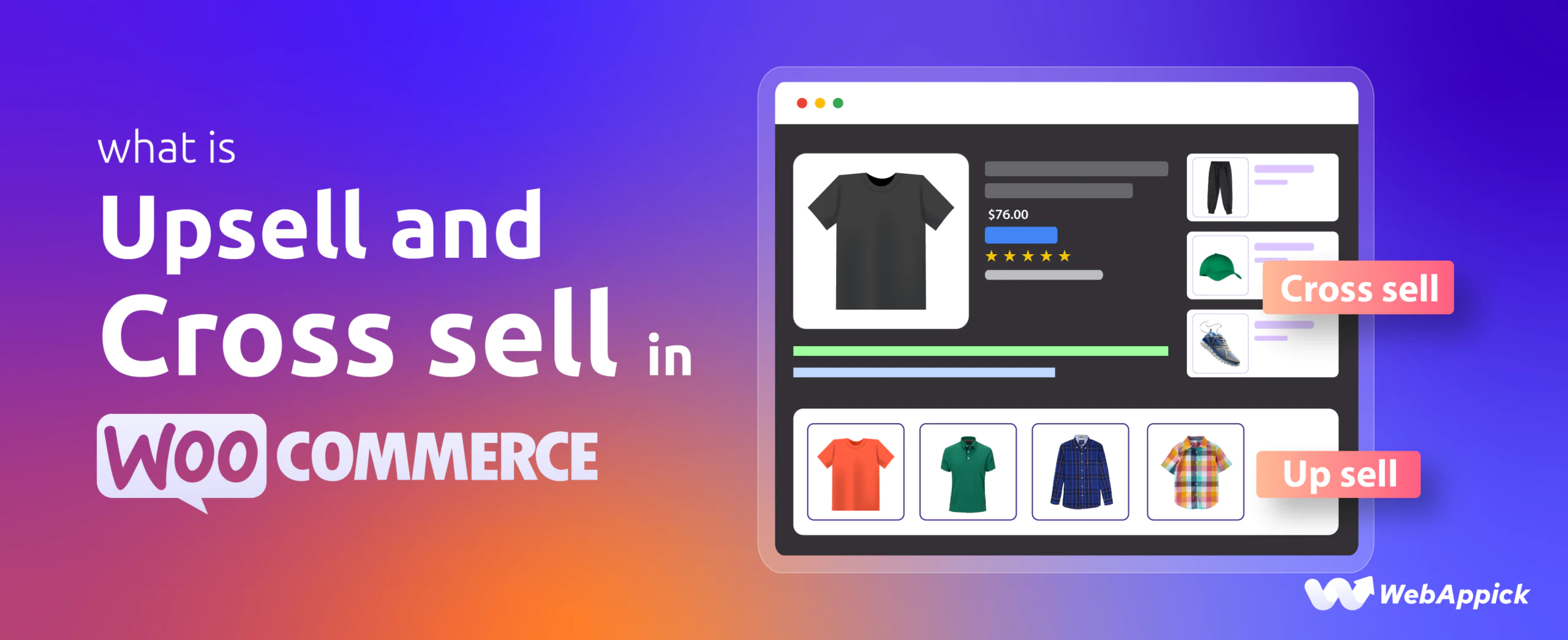
Upselling and cross-selling in WooCommerce are two of the most effective ways to increase your store’s revenue without getting more traffic.
But here’s the problem:
Most store owners use them randomly—and lose potential sales.
In this guide, you’ll learn the exact difference between upsell vs cross-sell, real examples, how to set them up in WooCommerce, and the best plugins to automate everything.
Upsell vs Cross-sell in WooCommerce (Quick Answer)
- Upselling = Encourage customers to buy a higher-priced or upgraded version of a product
- Cross-selling = Recommend related or complementary products
What are WooCommerce Upsell Products?
What is Upselling in WooCommerce?
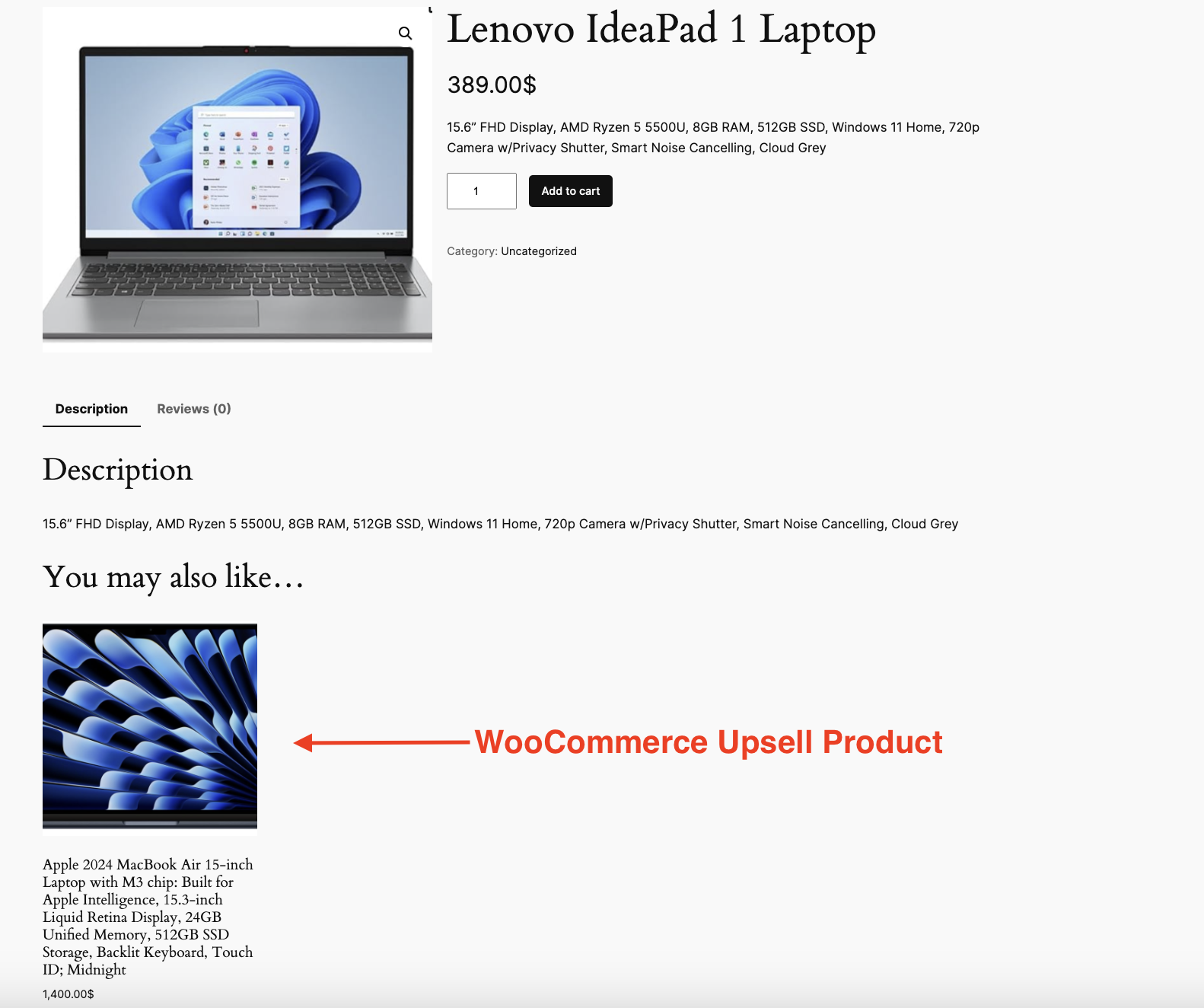
WooCommerce upselling is a strategy where you encourage customers to purchase a better, more expensive, or upgraded version of the product they are viewing.
Instead of letting customers settle for a basic option, you show them a product with:
- More features
- Better quality
- Higher value
Where Upsells Appear in WooCommerce
- Product page (“You may also like”)
- Cart page
- Checkout page (with plugins)
What is Cross-selling in WooCommerce?
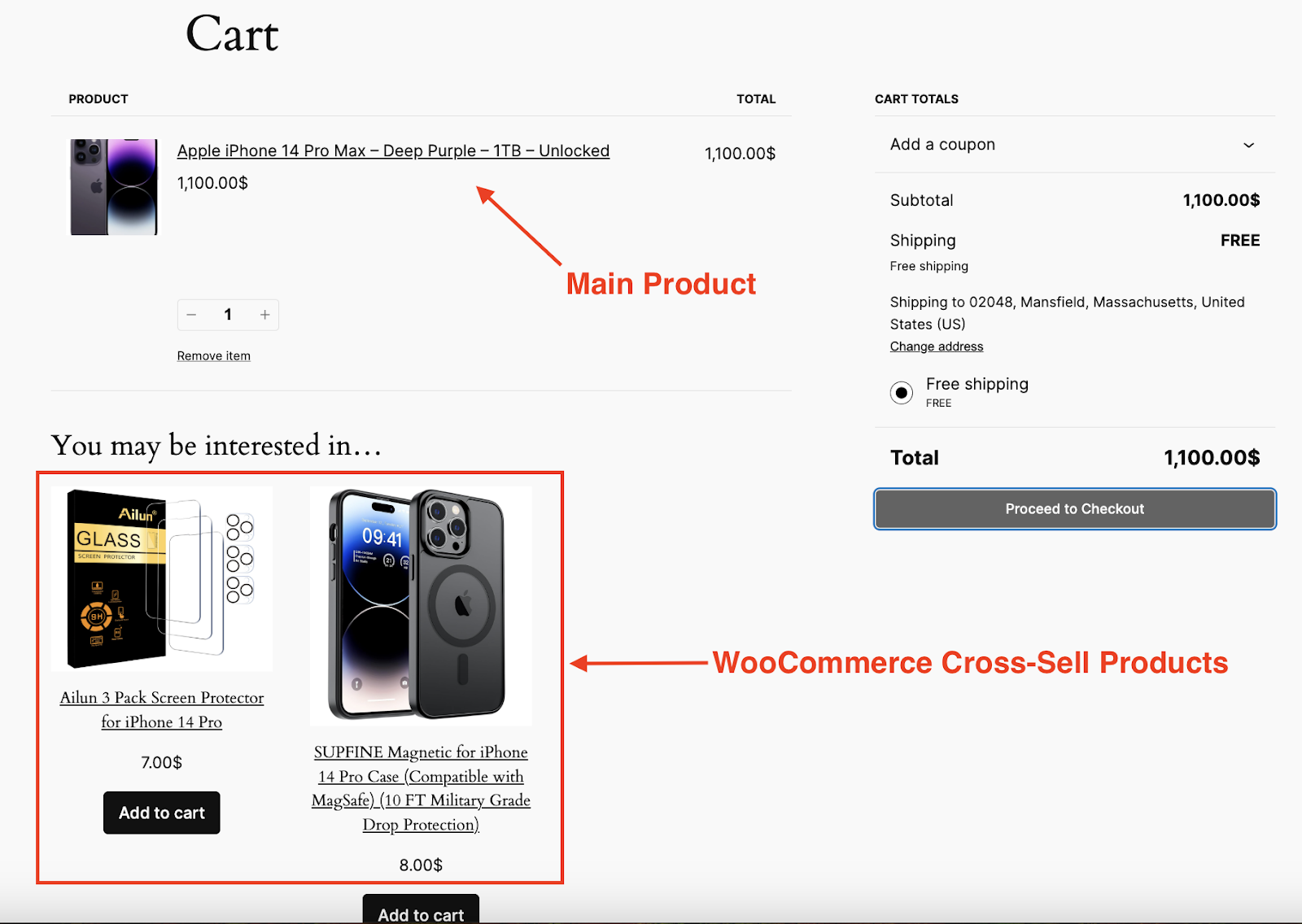
Cross-selling in WooCommerce means recommending additional products that complement the main product.
These products are usually:
- Lower in price
- Highly relevant
- Easy to add to cart
Where Cross-sells Appear
- Cart page (default WooCommerce behavior)
- Product page
- Checkout page
WooCommerce Upsell vs Cross-sell (Key Differences)
Upselling and cross-selling may seem similar, but they serve distinct purposes in your WooCommerce store. One of the major differences is that upselling is designed to increase the value of one purchase while cross-selling is designed to increase the total number of items a customer purchases.
There are plenty of other differences. Understanding these differences can help you use these strategies more effectively to increase your WooCommerce sales and improve customer satisfaction.
| Feature | Upselling | Cross-selling |
| Goal | Increase product value | Increase cart value |
| Product Type | Better version of same product | Complementary products |
| Price | Higher | Usually lower |
| Strategy | Replace choice | Add more items |
| Placement | Product page, checkout | Cart, product page |
| Impact | Higher profit per item | More items per order |
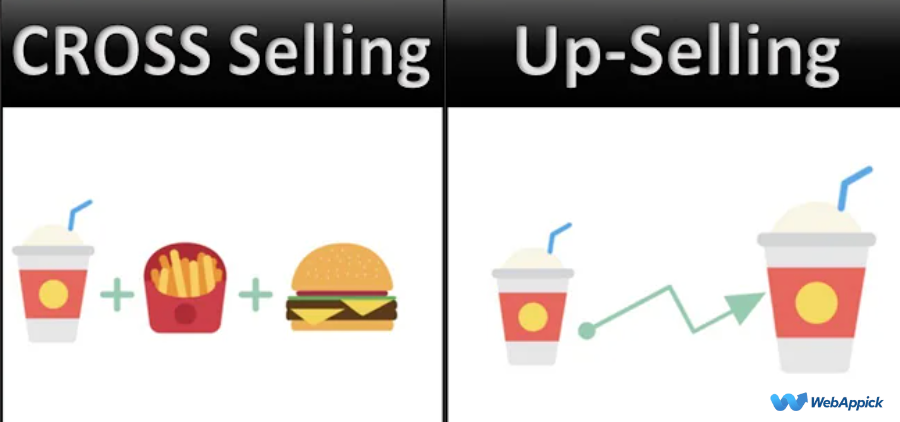
In short:
- Upsell = Upgrade
- Cross-sell = Add-ons
Upsell vs Cross-sell Examples (Real Use Cases)
Upselling Examples
Here’s a real-world upselling scenario:
You’re shopping online for a new smartphone and add a budget model to your cart. Before checkout, you see a suggestion:
“Upgrade to the 128GB version for just $50 more—store more photos and apps without worrying about space.”
At first, you weren’t planning to spend extra—but the added value makes sense. You upgrade.
That’s upselling: encouraging you to choose a better, higher-value version of the same product.
Another example:
You sign up for a basic SaaS plan. During checkout, a message appears:
“Upgrade to Pro for advanced analytics and priority support.”
Since you want better features, you switch to the higher plan.
Again, upselling works by enhancing your original choice.
Cross-selling Examples
Now let’s look at cross-selling in action:
You’re buying a laptop online. When you go to your cart, you see:
“Frequently bought together: Wireless mouse, laptop bag, cooling pad.”
These aren’t upgrades—they’re additional products that improve your overall experience. You add a mouse and a bag to your order.
That’s cross-selling: suggesting complementary items.
Another example:
You purchase a camera. At checkout, you see:
“Don’t forget: memory card and tripod for better performance.”
You realize you actually need those accessories—so you add them.
Cross-selling works by helping customers complete their purchase.
Key Takeaway
- Upselling = “Get a better version of this product”
- Cross-selling = “Get more products that go with it”
Both feel helpful when done right—and that’s why they convert so well.
How to Create Upsells and Cross-sells in WooCommerce (Step-by-Step Guide)
If you’re wondering how to create upsells in WooCommerce or how to show cross-sell products, follow these simple steps below.
Create Upsell Products in WooCommerce
Here are step-by-step processes to set up WooCommerce upsell.
Step 1. Select your Product
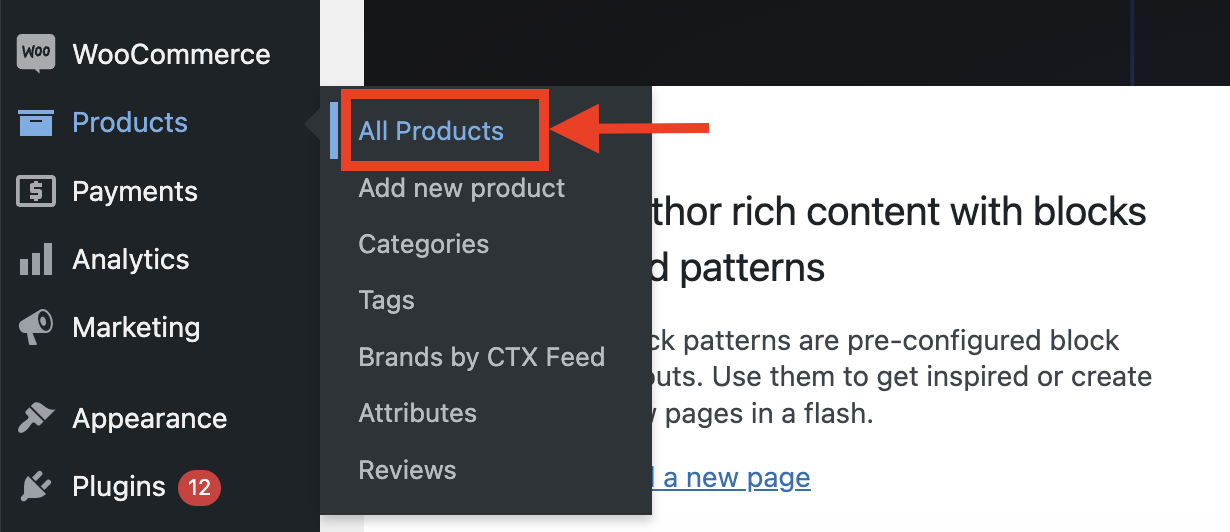
From your WordPress Dashboard, go to Products>> All Products.
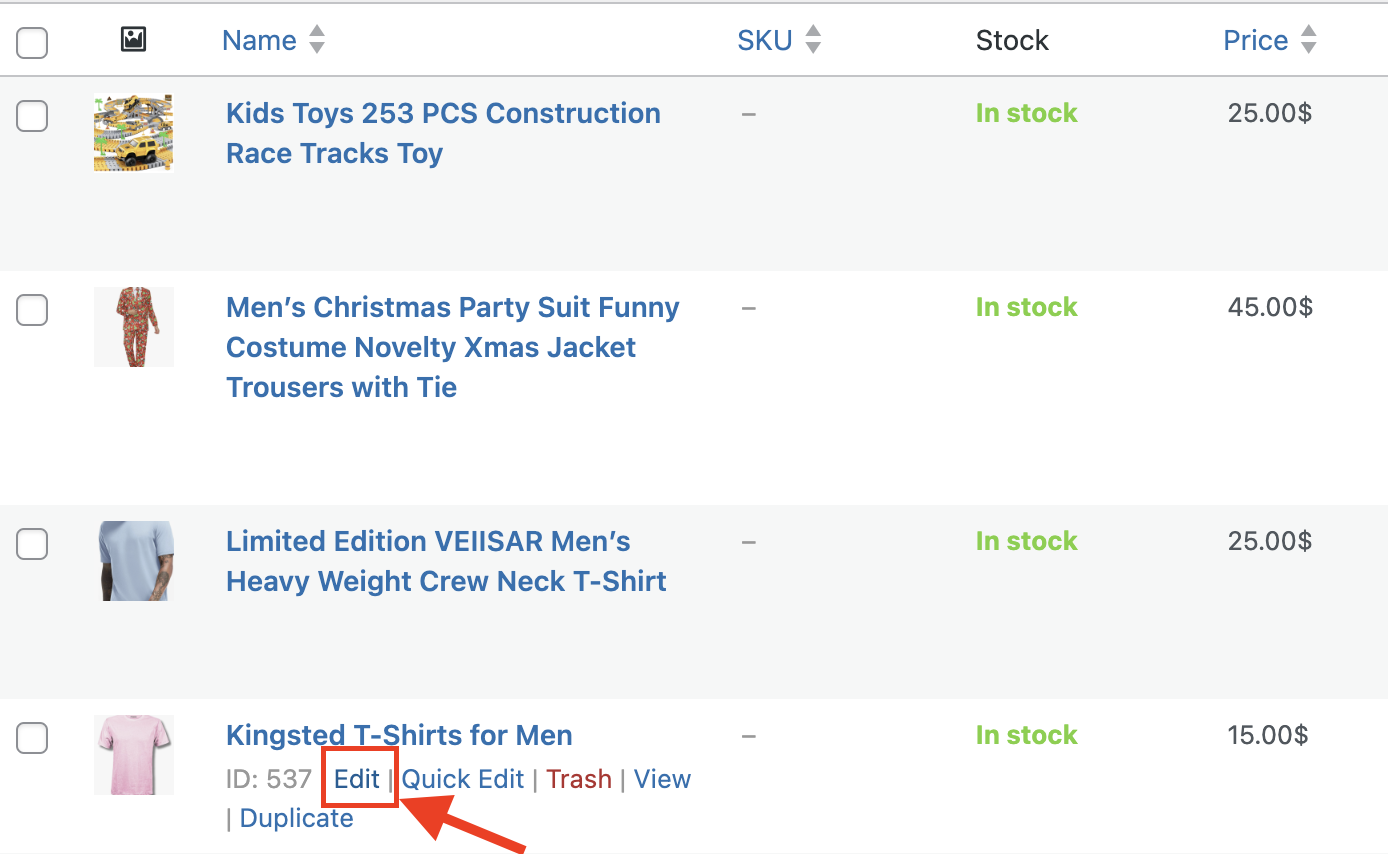
Then select the product in which you want to apply your upsell or cross-sell strategies.
Step 2. Find the Linked Products Section
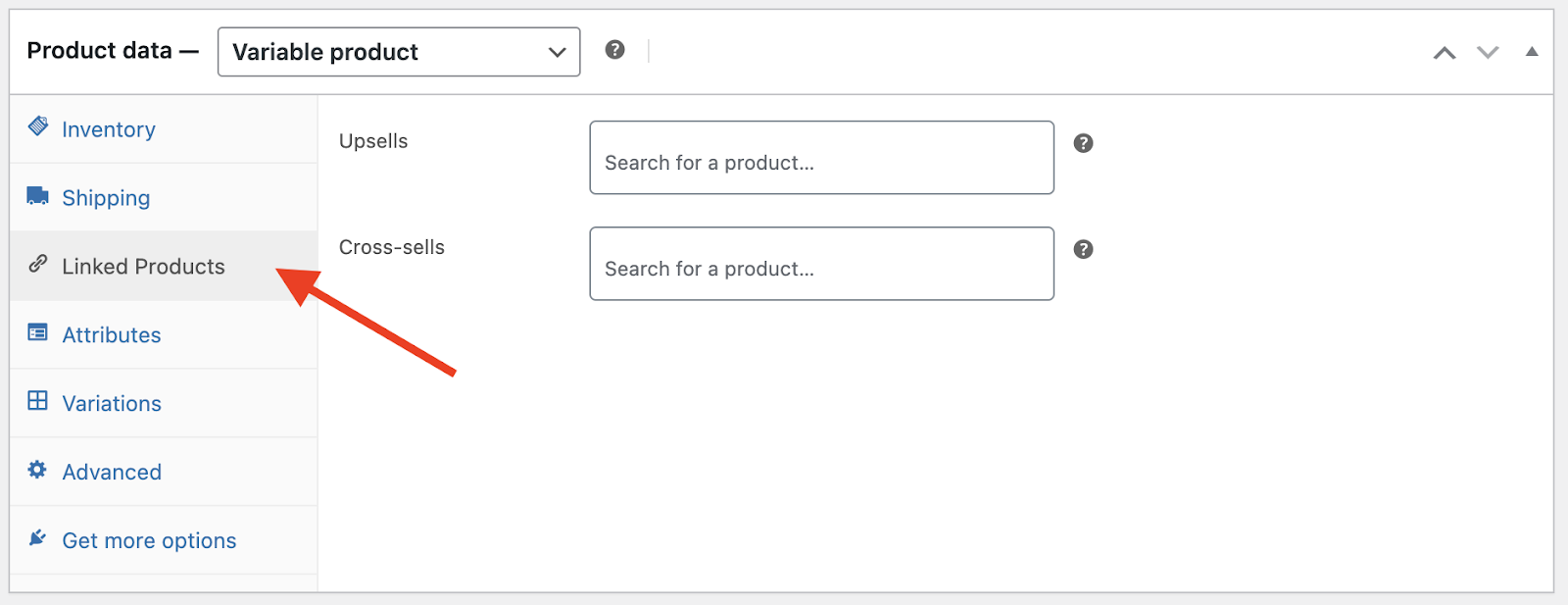
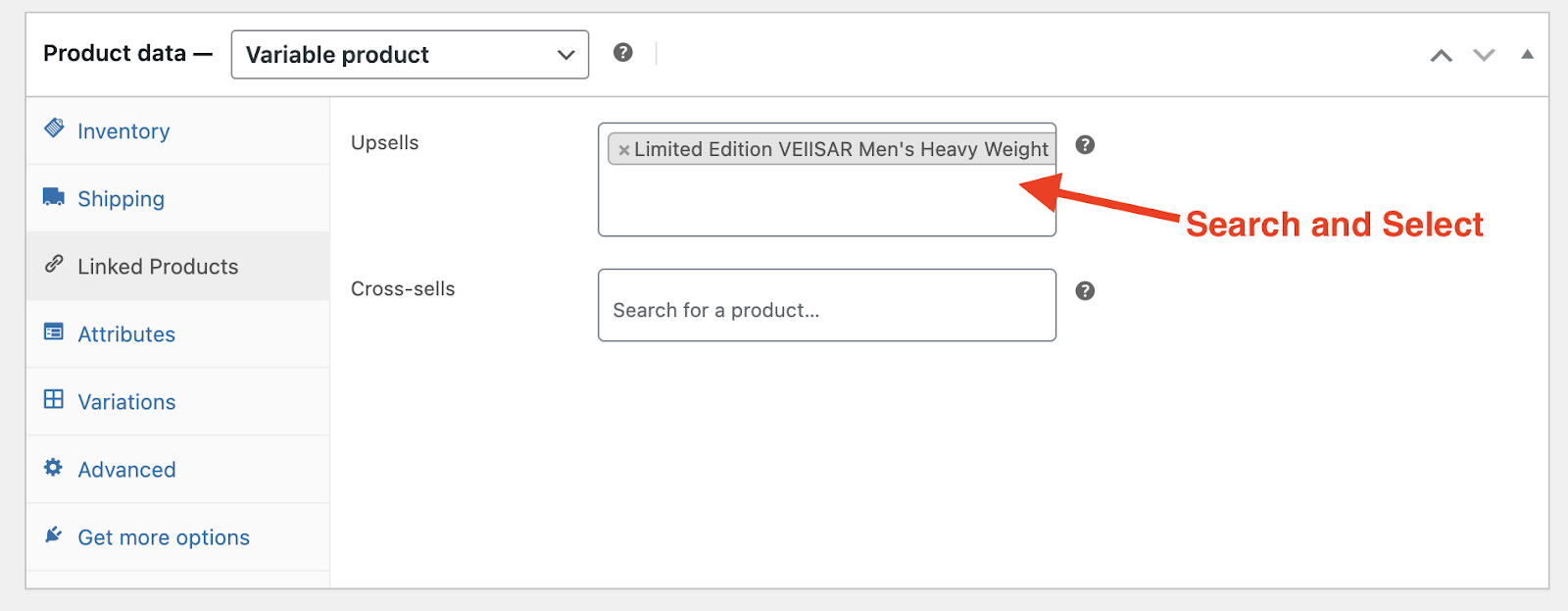
You should scroll down and get to the “Product Data” section. There select the tab “Linked Products”. Here, you will find the options to cross-sell and upsell your products in WooCommerce.
Step 3. Add Upsell Products
In the “Upsells” field, start typing the name of the products you’d like to suggest as upsells. Select them from the dropdown list and save your changes.
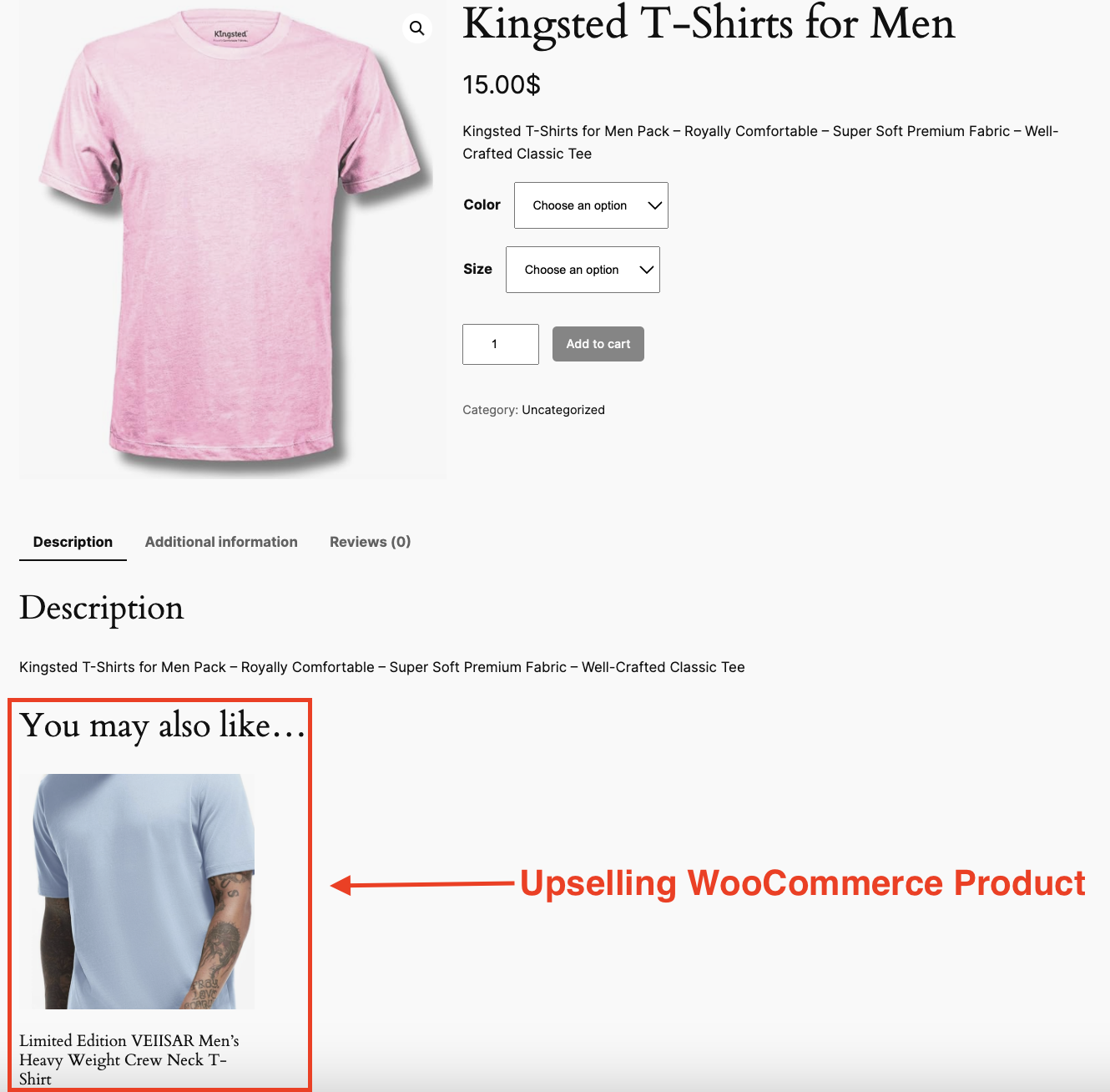
In this case, we’ll select the “Limited Edition VEIISAR Men’s T-Shirt” as our upsell. By recommending a premium version to customers who are interested in the standard t-shirt, we create an opportunity for them to explore a more exclusive and valuable option.
Step 4. Save the Product
After adding your upsell products, make sure to click “Update” to save the changes. That’s all!
How to Set Up Cross Sell Products in WooCommerce?
Both of the processes are quite similar. So, we believe you will be able to do it pretty easily.
Step 1. Go to the Desired Product Page>>Linked Products Section
As with upsells, go to the product you want to cross-sell. Under the “Product Data” section, select the “Linked Products” tab.
Step 2. Add Cross-sell Products
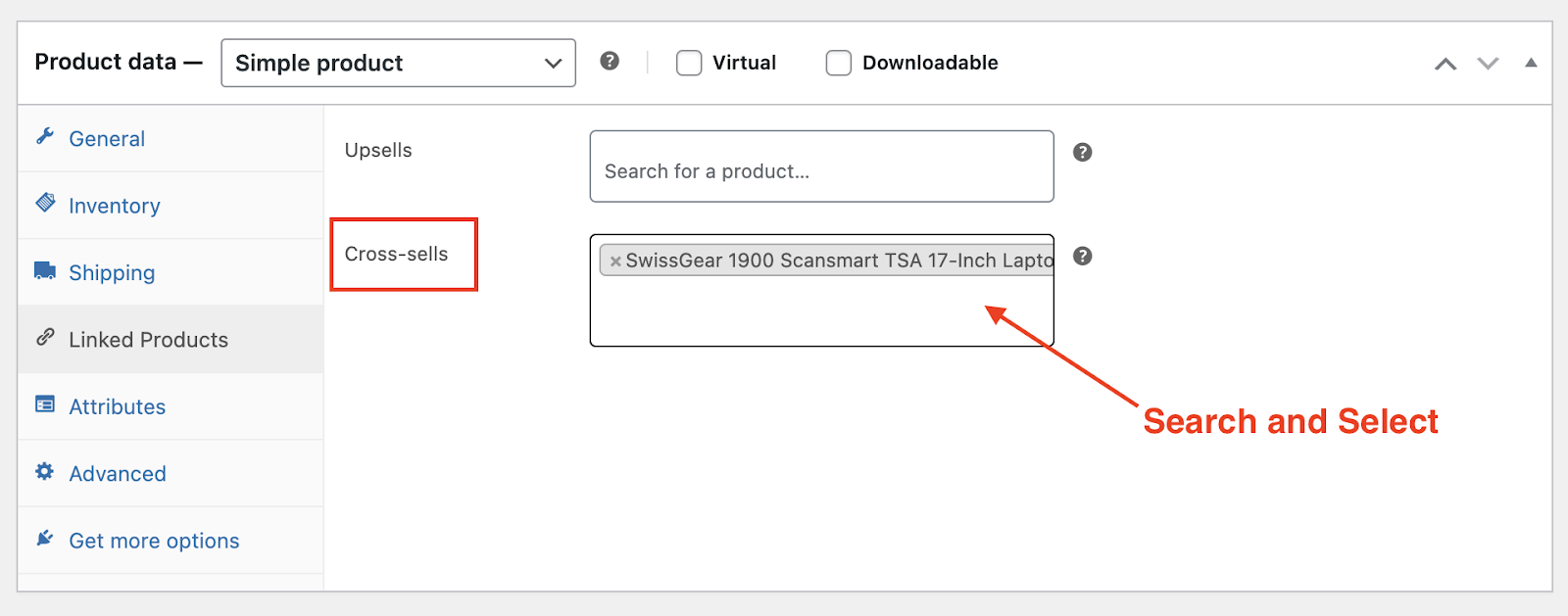
In the “Cross-sells” field, begin typing the names of the products you want to display as cross-sells. Choose the relevant products from the dropdown list.
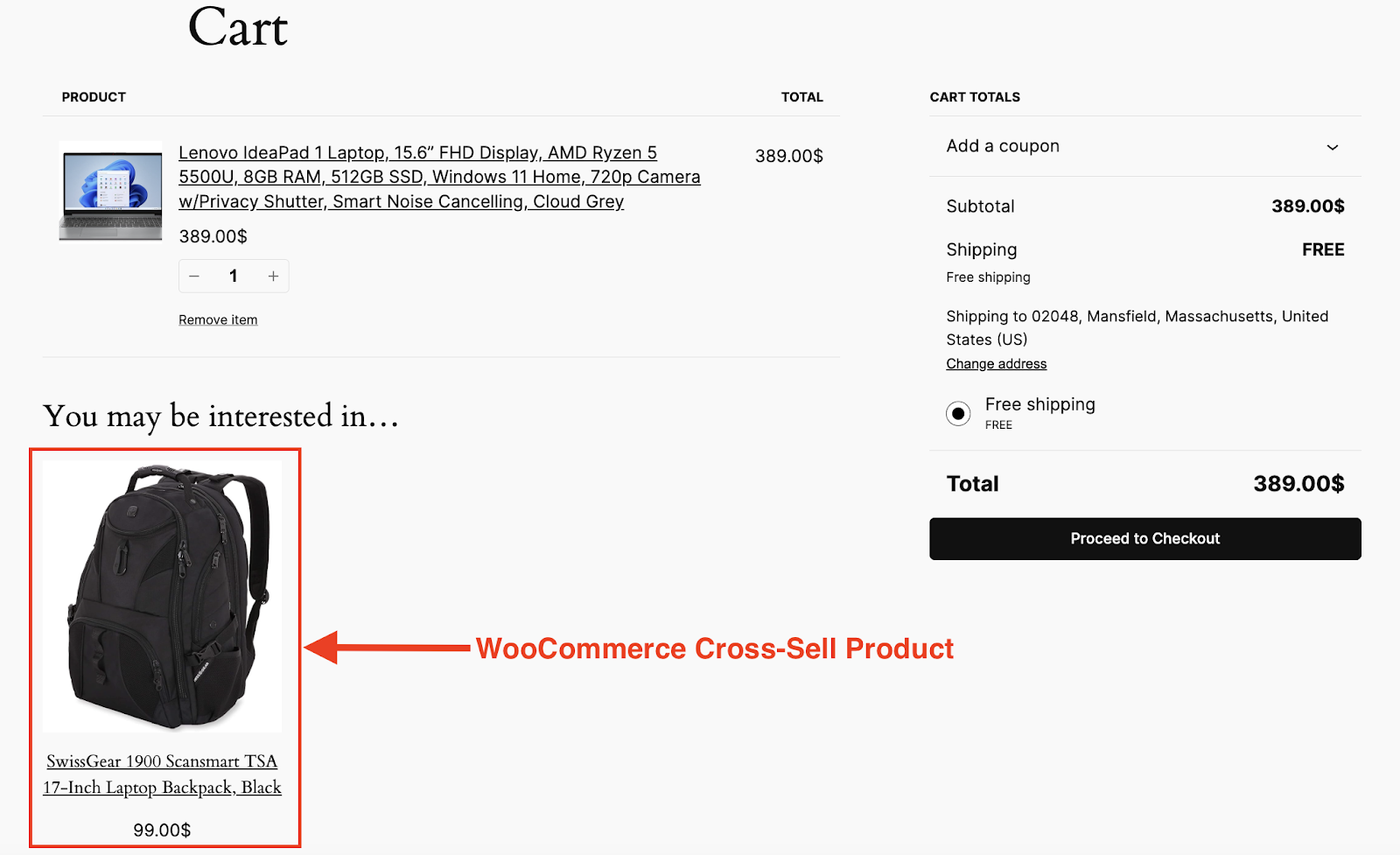
For example, in this process, we will be selecting a laptop bag as a cross-sell product for one of our premium Laptop Products.
Step 3. Save the Product
Once you’ve added your cross-sell suggestions, click “Update” to save your changes. Now whenever the customers order this laptop product, they are going to see the cross-sell product in their cart or checkout page.
WooCommerce Upsell or Cross-sell: Which One Should You Use?
Deciding between upselling and cross-selling depends on your business goals, product types, and customer behavior. Both strategies are powerful in their own ways, and the best approach often involves a combination of the two. Let’s dive deeper into when and why to use each one:
When to Use WooCommerce Upselling Strategy?
- Premium Product Range: If your store offers multiple versions of a product with varying quality, features, or specifications, upselling is a perfect fit. It helps you highlight the premium options and convince customers of the added value. Example: A customer browsing for a basic smartwatch might be upsold to a model with advanced health tracking features.
- Targeting Customer Aspirations: Upselling appeals to customers who are willing to spend more for better performance, durability, or exclusive features. So, if your target audience values quality over cost, upselling can maximize your revenue.
- Enhancing Profit Margins: Since upselling typically involves higher-priced items, it’s an effective way to increase profit margins on individual purchases. This is especially beneficial for stores offering luxury goods or high-end electronics.
When to Use WooCommerce Cross-selling Strategy?
- Sell Complementary Products: Cross-selling is ideal when your store offers a range of items that work well together. If your store has many complementary products, use cross-selling to encourage customers to buy related products they may not have thought of initially.
- Encouraging Impulse Purchases: Cross-sell items are often lower in cost, making them easier for customers to add to their cart without much hesitation. These small add-ons can significantly boost your overall sales.
- Creating a Complete Experience: Cross-selling can help you ensure customers get everything they need for a specific purpose. For example, a skincare bundle with complementary products creates a holistic experience.
Combining Upselling and Cross-selling Strategies for WooCommerce Products
For the best results, you don’t have to choose one over the other—combine both strategies strategically.
Upsell First, Then Cross-sell: Encourage customers to upgrade their primary product, then suggest complementary items to complete the experience. For instance, a customer upgrading to a high-end DSLR camera can then be shown cross-sell options like a camera bag, lens cleaner, or tripod.
Use Different Pages for Each Strategy: Upselling works best on product pages and during checkout, while cross-selling is effective on cart pages or as pop-ups. So, consider using both.
Can Automate Upselling and Cross-selling in WooCommerce?
Yes, you can automate upsells and cross-sells using plugins and AI-based recommendation tools.
These tools analyze:
- Customer behavior
- Purchase history
- Product interactions
Based on this data, they automatically show the most relevant upsell and cross-sell products. This improves conversions without manual effort.
Best WooCommerce Upsell & Cross-sell Plugins (2026)
If you’re looking for the best WooCommerce upsell plugins or cross-sell plugins, these tools can automate product recommendations and significantly increase conversions.
- FunnelKit: Best for “One-Click Upsells” after a customer has already clicked “Order.”
- CartFlows: Excellent for replacing the standard checkout with high-conversion “Order Bumps.”
- WooCommerce Boost Sales: Best for “Frequently Bought Together” pop-ups.
- Iconic Sales Booster: Adds Amazon-style cross-sells directly to the product page.
Many of these tools support one-click upsells, allowing customers to accept an offer instantly without re-entering payment details.
Best Placement for Upsells and Cross-sells
To maximize your revenue, you should place your offers across the entire funnel:
| Stage | Strategy | Goal |
| Product Page | Upsell | Increase product value |
| Cart Page | Cross-sell | Add more items |
| Checkout | Order bump | Last-minute conversion |
| Post-purchase | One-click upsell | Extra revenue |
Advanced Upsell & Cross-sell Strategies
Both Upselling and Cross-selling are great strategies for maximizing WooCommerce sales. But hey, if you want to maximize these strategies, consider applying these best practices.
Use Clear Descriptions
No matter whether your strategy is cross-selling or upselling, make the best use of WooCommerce product descriptions to highlight why the product is beneficial for your customers.
Keep Pricing Logical
Try to ensure the upsell price difference isn’t too arduous for your customers. For cross-sells, you should keep the items affordable.
Offer Discounts
Create urgency by offering time-limited discounts on recommended items. In order to offer the best possible discounts in your store, you can consider checking our in-depth guide about WooCommerce discounts.
Personalize Recommendations
Use plugins or AI tools to suggest products based on customer behavior.
Test Placements
Experiment with upsell and cross-sell placements to see what works best for conversions.
Why Upselling and Cross-selling Matter in WooCommerce?
Both techniques can significantly impact your store’s performance.Here’s why:
Boosts Revenue
Upselling and cross-selling naturally increase your revenue by convincing customers to spend more.
Improves Customer Satisfaction
When customers find products that better meet their needs or complement their purchases, they’re more likely to have a positive shopping experience.
Enhances Average Order Value (AOV)
Cross-selling and upselling are proven methods for increasing customers’ average spending per order.
Encourages Product Discovery
These strategies highlight products customers might not have considered, driving awareness and additional sales.
Builds Loyalty
Offering relevant recommendations shows customers you understand their needs, fostering trust and loyalty.
Common Upsell and Cross-sell Mistakes to Avoid
- Showing irrelevant products
- Offering too expensive upsells
- Overloading customers with too many options
- Poor placement (wrong timing in funnel)
Keep your recommendations relevant, simple, and well-timed.
Frequently Asked Questions
What is the purpose of upselling?
The main purpose of upselling is to increase the value of a single purchase by encouraging customers to choose a higher-priced product.
What is the purpose of cross-selling?
Cross-selling aims to increase the total order value by adding complementary products to the cart.
Can upselling and cross-selling be used together?
Absolutely! Combining these strategies maximizes sales potential and enhances customer satisfaction.
Where do upsell products appear in WooCommerce?
They typically appear on the product page or as suggestions in the cart.
Why aren’t my cross-sells showing?
If you’ve linked products but they aren’t appearing, check these three things:
1. The Page: Cross-sells appear on the Cart page, not the Product page by default.
2. Stock: WooCommerce hides recommendations if the linked product is out of Stock.
3. Cache: Clear your site cache if you’ve just updated the “Linked Products” section.
What is the ideal price range for upsell and cross-sell products?
For upsells, the ideal price range should be higher than the original product but not so high that it deters the customer.
For cross-sells, the price range should generally be lower than the main product to encourage customers to add them to their cart.
Are upsell and cross-sell strategies effective for all product types?
While upselling and cross-selling work well for most products, they are especially effective for items with multiple versions, accessories, or consumables. They may be less effective for unique or one-of-a-kind products.
Final Thought
Implementing upsells and cross-sells isn’t just about making more money; it’s about product discovery. By showing customers exactly what they need at the right time, you improve their shopping experience and build long-term loyalty.
Ready to boost your AOV? Start by picking your top 5 best-sellers today and adding 2 upsells and 2 cross-sells to each!

Free version on WordPress.org. Every Pro licence includes a 30-day money-back guarantee.