%22%2F%3E%0A%3Cpath%20d%3D%22M59.8894%2016.6974C60.1689%2016.9331%2060.5416%2017.1216%2060.9142%2017.0745C61.5664%2017.0273%2061.8925%2016.6031%2061.6596%2015.7547C61.5198%2014.4349%2061.4267%2013.1623%2061.2869%2011.8425C61.1006%209.72149%2060.8211%207.55331%2060.5881%205.38512L60.1689%201.70863C60.0757%200.81307%2059.6099%200.294591%2058.7713%200.106053C58.4918%20-0.0353509%2058.2123%20-0.0353509%2057.9328%200.106053C57.7931%200.106053%2057.6999%200.106053%2057.6067%200.153187C56.5353%200.483129%2055.4172%200.81307%2054.3458%201.19015C53.5073%201.47295%2052.6222%201.75576%2051.7371%202.03857C50.2929%202.50991%2048.8488%203.02839%2047.4047%203.49974C46.4264%203.82967%2045.4016%204.1596%2044.3768%204.48952L44.3767%204.48956C43.6313%204.72523%2043.3518%205.24371%2043.6313%205.85646C43.7711%206.13927%2044.004%206.32781%2044.2369%206.46921C44.7028%206.79915%2045.2152%207.08196%2045.6811%207.4119C45.8674%207.55331%2046.0537%207.69471%2045.8208%208.02465C45.7276%208.21319%2045.5879%208.35459%2045.4481%208.54313L45.355%208.73167L44.5164%2010.0986L43.9108%2010.9941L43.3052%2011.8897L43.2121%2011.9839L42.1406%2013.5865L44.5867%2019.8706C45.5713%2022.1447%2048.6357%2026.5713%2052.552%2023.6277L53.9265%2022.2593L54.3458%2021.5523C54.3924%2021.458%2054.4856%2021.3637%2054.5321%2021.2694L54.5787%2021.2223C55.2309%2020.1854%2055.883%2019.1956%2056.5352%2018.2059L56.5353%2018.2057C57.0477%2017.4044%2057.5601%2016.6503%2058.0726%2015.849C58.2123%2015.6604%2058.3055%2015.6133%2058.4918%2015.7076C58.9577%2016.0375%2059.4235%2016.4146%2059.8894%2016.6974Z%22%20fill%3D%22%233D89D0%22%2F%3E%0A%3Cpath%20d%3D%22M28.0259%2022.0232C27.9793%2022.0703%2027.9793%2022.1175%2027.9327%2022.1646C27.9793%2022.1175%2028.0259%2022.0703%2028.0259%2022.0232Z%22%20fill%3D%22url(%23paint1_linear)%22%2F%3E%0A%3Cpath%20d%3D%22M53.9265%2022.3064C53.7402%2022.5892%2053.5538%2022.872%2053.3675%2023.202C53.0414%2023.7204%2052.7153%2024.1918%2052.3892%2024.7103C51.3178%2026.4071%2050.1531%2027.9625%2048.4295%2029.0938C46.9388%2030.0365%2045.4015%2030.6021%2043.6779%2030.8849C42.1872%2031.1206%2040.7896%2030.9791%2039.3921%2030.5549C37.6219%2030.0365%2036.038%2029.1409%2034.687%2027.8211C33.7088%2026.8784%2032.9634%2025.7944%2032.3578%2024.616C32.0317%2023.9561%2031.7988%2023.2491%2031.4727%2022.5421C31.0534%2021.5522%2030.1683%2019.2427%2030.1218%2019.1012C30.0752%2019.0541%2030.0752%2018.9598%2030.0286%2018.9127C29.9354%2018.7242%2029.8422%2018.5828%2029.7957%2018.3942C29.6559%2018.0172%2029.4696%2017.6401%2029.3298%2017.2159C29.2366%2017.0273%2029.1901%2016.8388%2029.0969%2016.6503C28.9571%2016.3674%2028.864%2016.0846%2028.7242%2015.7547C28.5845%2015.3776%2028.4447%2015.0005%2028.2584%2014.6235C28.1652%2014.3407%2028.0254%2014.0579%2027.9323%2013.775C27.9323%2013.7279%2027.9323%2013.7279%2027.8857%2013.6808C27.7925%2013.4922%2027.7459%2013.3037%2027.6528%2013.1152C27.4664%2012.5967%2027.2335%2012.1253%2027.0006%2011.6069C27.0006%2011.5597%2026.954%2011.5126%2026.9074%2011.4655C26.8142%2011.2769%2026.7211%2011.1355%2026.5813%2010.947C26.5347%2010.8998%2026.4882%2010.8527%2026.4882%2010.8056C26.4416%2010.7584%2026.395%2010.7113%2026.395%2010.6642C26.3484%2010.617%2026.3018%2010.5699%2026.2552%2010.5228C26.2086%2010.4756%2026.2086%2010.4285%2026.1621%2010.4285L26.1155%2010.3814C26.0689%2010.3342%2026.0223%2010.2871%2026.0223%2010.2871C25.9291%2010.1928%2025.8826%2010.1457%2025.7894%2010.0514C25.7428%2010.0043%2025.6962%209.95715%2025.6496%209.95715C25.603%209.91002%2025.5565%209.91002%2025.5099%209.86288C25.4167%209.81575%2025.3701%209.76861%2025.277%209.67435C25.2304%209.62721%2025.1838%209.62721%2025.1372%209.58008C25.0906%209.53294%2025.044%209.53294%2024.9974%209.48581C24.9509%209.48581%2024.9043%209.43867%2024.9043%209.43867C24.8577%209.39154%2024.8111%209.39154%2024.7645%209.3444C24.7179%209.3444%2024.7179%209.29727%2024.6714%209.29727C24.5782%209.25014%2024.485%209.203%2024.3918%209.15587C22.9943%208.59025%2021.1775%208.77879%2020.1992%209.10873C19.2675%209.43867%2018.2893%2010.3342%2018.2427%2010.4285C18.6619%209.72148%2019.0812%208.96733%2019.547%208.26031C20.1526%207.36475%2020.7117%206.4692%2021.3638%205.62078C22.3887%204.63095%2023.4602%203.78253%2024.6714%203.07551C27.0006%201.75575%2029.4696%201.52007%2032.0317%201.89715C33.3361%202.08569%2034.5939%202.60417%2035.7585%203.35832C36.9231%204.06534%2037.9014%204.96089%2038.7399%206.04499C39.2989%206.79914%2039.8114%207.60043%2040.1374%208.49598C40.6033%209.67435%2041.1623%2010.8056%2041.5816%2011.9839C41.7679%2012.5496%2042.0008%2013.068%2042.2338%2013.6336C42.2338%2013.6336%2042.2338%2013.6336%2042.2338%2013.6808V13.7279L45.0288%2019.8554C45.4015%2020.8452%2045.9139%2021.6465%2046.7059%2022.3535C47.2183%2022.872%2047.8705%2023.1548%2048.5227%2023.3905C48.5693%2023.3905%2048.6158%2023.4376%2048.6624%2023.4376C49.7805%2023.7676%2051.2246%2023.3905%2052.3426%2023.0134C53.088%2022.6835%2053.6936%2022.4007%2053.9265%2022.3064Z%22%20fill%3D%22url(%23paint2_linear)%22%2F%3E%0A%3Cpath%20d%3D%22M28.0255%2022.0238C27.9789%2022.0709%2027.9789%2022.118%2027.9324%2022.1652C27.9324%2022.1652%2027.9324%2022.1652%2027.9324%2022.2123C27.7926%2022.448%2027.6063%2022.6836%2027.4665%2022.9664C25.8826%2025.8416%2024.4385%2028.1512%2021.6434%2029.6595C19.3142%2030.9793%2016.8452%2031.215%2014.2831%2030.8379C14.1433%2030.8379%2014.0501%2030.7908%2013.9104%2030.7908C12.7458%2030.6022%2011.5812%2030.0838%2010.4165%2029.2825C8.78607%2028.1512%207.52829%2026.5958%206.64318%2024.8047L6.17733%2023.9091L5.01272%2021.5524L0.726927%2012.6911C0.447419%2012.0784%200.214496%2011.4656%200.121327%2010.8529C-0.437689%207.8834%200.95985%204.77252%203.80151%203.35849C5.43198%202.51007%207.24878%202.4158%208.87924%202.93428C10.6029%203.45276%2012.1402%204.67825%2013.0253%206.46937L13.1184%206.6579L14.7489%209.95732C14.7955%2010.0516%2014.7955%2010.1459%2014.8421%2010.2401C15.075%2010.8529%2015.8204%2012.4083%2016.426%2013.5867C16.4725%2013.6809%2016.5191%2013.7752%2016.5657%2013.8223C16.6123%2013.9638%2016.7055%2014.1052%2016.752%2014.1994C16.7986%2014.2937%2016.8452%2014.3408%2016.8452%2014.4351C16.8452%2014.4822%2016.8918%2014.4822%2016.8918%2014.5294C16.9384%2014.5765%2016.9384%2014.6708%2016.985%2014.7179C16.985%2014.765%2017.0316%2014.765%2017.0316%2014.8122C17.0316%2014.8593%2017.0781%2014.8593%2017.0781%2014.9064C17.0781%2014.9536%2017.1247%2015.0007%2017.1247%2015.0478C17.1247%2015.095%2017.1713%2015.095%2017.1713%2015.1421C17.3111%2015.4249%2017.4042%2015.7549%2017.544%2016.0377C17.6372%2016.2262%2017.6837%2016.4147%2017.7769%2016.6504C17.9632%2017.1689%2018.1962%2017.6402%2018.3825%2018.1587C18.5223%2018.4415%2018.6154%2018.7715%2018.7552%2019.0543C18.8018%2019.1485%2018.8484%2019.29%2018.8949%2019.3842C18.9881%2019.5728%2019.0347%2019.7613%2019.1279%2019.9498C19.3608%2020.5154%2019.5937%2021.0811%2019.9664%2021.5995C20.1993%2021.8823%2020.3857%2022.1652%2020.6652%2022.4008C22.3888%2023.9563%2024.9975%2023.862%2028.0255%2022.0238Z%22%20fill%3D%22url(%23paint3_linear)%22%2F%3E%0A%3Cpath%20d%3D%22M68.0888%2024.8694L68%207.88696H71.9963L71.8187%2018.4448L76.8806%207.88696H80.6548L81.3209%2018.3999L85.5392%207.88696H89.713L82.4754%2024.8694H78.1683L77.5466%2013.9072L72.3959%2024.8694H68.0888Z%22%20fill%3D%22%230D5293%22%2F%3E%0A%3Cpath%20d%3D%22M92.7771%2025.1385C89.2693%2025.1385%2086.7383%2022.6675%2086.7383%2019.2081C86.7383%2015.3893%2089.8021%2012.1545%2093.4431%2012.1545C96.6402%2012.1545%2098.8603%2014.4458%2098.8603%2017.7704C98.8603%2018.5342%2098.8159%2019.1182%2098.7271%2019.6124H90.4237C90.6457%2021.0501%2091.7114%2022.0385%2093.2211%2022.0385C94.1536%2022.0385%2094.9528%2021.724%2095.5301%2021.095L97.617%2023.4762C96.0185%2024.6443%2094.5976%2025.1385%2092.7771%2025.1385ZM90.6457%2017.411H95.4857C95.3081%2016.0632%2094.4644%2015.2545%2093.2211%2015.2545C92.0666%2015.2096%2091.0898%2016.0632%2090.6457%2017.411Z%22%20fill%3D%22%230D5293%22%2F%3E%0A%3Cpath%20d%3D%22M105.965%2024.9589C104.411%2024.9589%20103.167%2024.24%20102.368%2022.8473L101.924%2024.869H98.1499L101.791%207.52717L105.698%206.89819L104.322%2013.5923C105.166%2012.7836%20106.32%2012.2894%20107.519%2012.2894C110.139%2012.2894%20112.181%2014.8054%20112.181%2018.0401C112.226%2021.814%20109.428%2024.9589%20105.965%2024.9589ZM103.789%2016.3778L102.945%2020.4212C103.478%2021.185%20104.366%2021.6792%20105.388%2021.6792C107.208%2021.6792%20108.54%2020.2415%20108.54%2018.3097C108.54%2016.6474%20107.43%2015.4793%20105.92%2015.4793C105.077%2015.4793%20104.411%2015.7937%20103.789%2016.3778Z%22%20fill%3D%22%230D5293%22%2F%3E%0A%3Cpath%20d%3D%22M120.44%207.88696H125.058L127.899%2024.8694H123.725L123.193%2020.8259H117.154L114.978%2024.8694H110.582L120.44%207.88696ZM122.704%2017.5912L121.949%2011.9304L118.886%2017.5463H122.704V17.5912Z%22%20fill%3D%22%230D5293%22%2F%3E%0A%3Cpath%20d%3D%22M131.23%2012.3347H135.004L134.782%2013.5927C135.626%2012.7391%20136.736%2012.2449%20137.935%2012.2449C140.555%2012.2449%20142.597%2014.7608%20142.597%2017.9955C142.597%2021.8143%20139.8%2024.9592%20136.336%2024.9592C134.782%2024.9592%20133.539%2024.2853%20132.828%2022.9824L131.274%2030.0809H127.456L131.23%2012.3347ZM134.205%2016.3332L133.317%2020.5114C133.85%2021.2303%20134.738%2021.6796%20135.715%2021.6796C137.535%2021.6796%20138.867%2020.2419%20138.867%2018.31C138.867%2016.6477%20137.757%2015.4796%20136.247%2015.4796C135.493%2015.4796%20134.827%2015.7492%20134.205%2016.3332Z%22%20fill%3D%22%230D5293%22%2F%3E%0A%3Cpath%20d%3D%22M144.595%2012.3347H148.369L148.147%2013.5927C148.99%2012.7391%20150.101%2012.2449%20151.299%2012.2449C153.919%2012.2449%20155.962%2014.7608%20155.962%2017.9955C155.962%2021.8143%20153.164%2024.9592%20149.701%2024.9592C148.147%2024.9592%20146.904%2024.2853%20146.193%2022.9824L144.683%2030.0809H140.865L144.595%2012.3347ZM147.57%2016.3332L146.682%2020.5114C147.214%2021.2303%20148.102%2021.6796%20149.079%2021.6796C150.9%2021.6796%20152.232%2020.2419%20152.232%2018.31C152.232%2016.6477%20151.122%2015.4796%20149.612%2015.4796C148.857%2015.4796%20148.191%2015.7492%20147.57%2016.3332Z%22%20fill%3D%22%230D5293%22%2F%3E%0A%3Cpath%20d%3D%22M159.115%2024.8694H155.296L158.005%2012.3347H161.824L159.115%2024.8694ZM158.449%208.47099C158.449%207.1681%20159.559%206%20160.847%206C161.912%206%20162.8%206.85361%20162.8%207.93186C162.8%209.27967%20161.69%2010.4029%20160.358%2010.4029C159.248%2010.4029%20158.449%209.54924%20158.449%208.47099Z%22%20fill%3D%22%230D5293%22%2F%3E%0A%3Cpath%20d%3D%22M169.727%2020.6909L171.592%2023.1619C170.304%2024.4648%20168.572%2025.1387%20166.752%2025.1387C163.466%2025.1387%20161.068%2022.7126%20161.068%2019.388C161.068%2015.3446%20164.088%2012.1099%20167.862%2012.1099C170.082%2012.1099%20171.947%2013.0983%20173.013%2014.7606L170.304%2017.0069C169.727%2015.9736%20168.927%2015.4794%20167.773%2015.4794C166.13%2015.4794%20164.842%2017.0518%20164.842%2019.0286C164.842%2020.6909%20165.819%2021.6793%20167.329%2021.6793C168.261%2021.7243%20169.016%2021.4098%20169.727%2020.6909Z%22%20fill%3D%22%230D5293%22%2F%3E%0A%3Cpath%20d%3D%22M175.722%207.52717L179.629%206.89819L177.365%2017.6807L182.426%2012.3344H187L180.517%2018.6691L184.691%2024.869H180.162L177.009%2019.5676L175.899%2024.869H172.081L175.722%207.52717Z%22%20fill%3D%22%230D5293%22%2F%3E%0A%3Cdefs%3E%0A%3ClinearGradient%20id%3D%22paint0_linear%22%20x1%3D%2223.1831%22%20y1%3D%2224.7007%22%20x2%3D%2223.3049%22%20y2%3D%228.44851%22%20gradientUnits%3D%22userSpaceOnUse%22%3E%0A%3Cstop%20stop-color%3D%22%23327ACD%22%2F%3E%0A%3Cstop%20offset%3D%221%22%20stop-color%3D%22%234696D2%22%2F%3E%0A%3C%2FlinearGradient%3E%0A%3ClinearGradient%20id%3D%22paint1_linear%22%20x1%3D%2227.9436%22%20y1%3D%2222.0876%22%20x2%3D%2228.0428%22%20y2%3D%2222.0876%22%20gradientUnits%3D%22userSpaceOnUse%22%3E%0A%3Cstop%20offset%3D%220.2029%22%20stop-color%3D%22%234C51BF%22%20stop-opacity%3D%220.9%22%2F%3E%0A%3Cstop%20offset%3D%221%22%20stop-color%3D%22%235A67D8%22%20stop-opacity%3D%220.9%22%2F%3E%0A%3C%2FlinearGradient%3E%0A%3ClinearGradient%20id%3D%22paint2_linear%22%20x1%3D%2232.4583%22%20y1%3D%222.22148%22%20x2%3D%2239.8371%22%20y2%3D%2230.0298%22%20gradientUnits%3D%22userSpaceOnUse%22%3E%0A%3Cstop%20offset%3D%220.3367%22%20stop-color%3D%22%2342B9FF%22%2F%3E%0A%3Cstop%20offset%3D%220.7818%22%20stop-color%3D%22%233B97E1%22%2F%3E%0A%3Cstop%20offset%3D%221%22%20stop-color%3D%22%233784D1%22%2F%3E%0A%3C%2FlinearGradient%3E%0A%3ClinearGradient%20id%3D%22paint3_linear%22%20x1%3D%2211.252%22%20y1%3D%220.972585%22%20x2%3D%2215.8771%22%20y2%3D%2225.7529%22%20gradientUnits%3D%22userSpaceOnUse%22%3E%0A%3Cstop%20offset%3D%220.3367%22%20stop-color%3D%22%2342B9FF%22%2F%3E%0A%3Cstop%20offset%3D%220.7818%22%20stop-color%3D%22%233B97E1%22%2F%3E%0A%3Cstop%20offset%3D%221%22%20stop-color%3D%22%233784D1%22%2F%3E%0A%3C%2FlinearGradient%3E%0A%3C%2Fdefs%3E%0A%3C%2Fsvg%3E%0A)


10 Proven AI Product Feed Optimization Strategies to Boost ROAS [2026]
 Mohammad Miraj
 You are spending hundreds or thousands of dollars on Google Shopping, Meta Catalog, and TikTok ads but the returns are underwhelming.
The culprit is rarely your bidding strategy or audience targeting.
More often than not, it is a product feed problem.
Poor product feed quality is one of the most overlooked causes of wasted ad spend in ecommerce.
Missing attributes, keyword-thin titles, wrong categories, and stale pricing data all signal low relevance to ad platforms, driving up your cost-per-click while degrading your return on ad spend (ROAS).
In 2026, AI-powered product feed optimization has changed the game entirely.
Using machine learning, natural language processing (NLP), and real-time automation, AI tools can now enrich, clean, and fine-tune your product feeds at a scale that was impossible with manual methods.
For WooCommerce store owners, tools like CTX Feed – a powerful WooCommerce Product Feed Manager Plugin make AI-level feed optimization accessible without enterprise-level budgets.
You get full control over your feed structure, dynamic rules, and multi-channel feed management, all from inside your WordPress dashboard.
In this guide, you will learn 10 proven AI product feed optimization strategies that help you reduce wasted spend, improve ad relevance scores, and ultimately boost ROAS across every channel you sell on.
What Is AI Product Feed Optimization?
A product feed is a structured data file typically in XML, CSV, or JSON format that contains detailed information about every product in your catalog.
It powers your ads on Google Shopping, Meta Catalog, TikTok Shop, Amazon, and dozens of other channels.
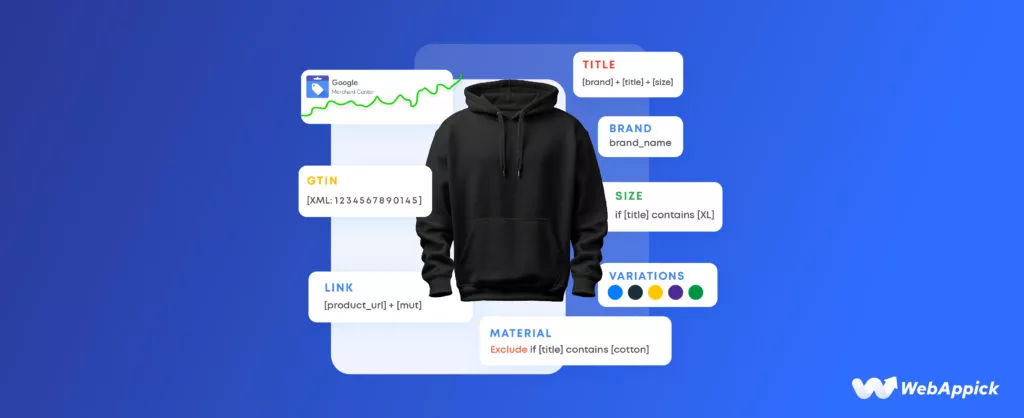
Product feed optimization means improving the quality, completeness, and relevance of that data.
The goal is for ad platforms to better understand, index, and display your products to the right shoppers at the right moment.
AI product feed optimization takes this further.
Instead of manually editing titles, filling missing fields, or re-categorizing products one by one, AI and machine learning tools can:
- Automatically generate keyword-rich product titles by analyzing top-performing competitors and search query data
- Detect and fill missing attributes such as color, size, material, GTIN, and brand using inference from existing product data
- Map products to the correct Google Product Taxonomy categories with high accuracy
- Continuously monitor feed health and flag errors before they trigger disapprovals in Google Merchant Center
- Personalize feed content dynamically based on which channel Google, Meta, TikTok, or Pinterest is receiving the feed
The result is a product feed that is cleaner, more complete, and far more relevant which directly translates into better ad quality scores, higher click-through rates, and stronger ROAS.
Quick Answer: AI product feed optimization uses machine learning and NLP to automatically improve feed data quality covering titles, attributes, categories, and sync frequency so your shopping ads match more high-intent queries, earn higher Quality Scores, and deliver better return on ad spend.
Why ROAS Suffers Without Optimized Product Feeds?
Before diving into the strategies, it is worth understanding exactly how a poor product feed hurts your paid performance.
Common Feed Problems That Kill ROAS
| Feed Problem | Impact on ROAS | Fix With AI? |
| Missing GTINs or MPNs | Lower ad eligibility; reduced visibility in Google Shopping | Yes. AI infers from UPC databases |
| Keyword-poor product titles | Poor match to search queries; low CTR | Yes. NLP-powered title rewriting |
| Wrong product categories | Ads shown to irrelevant audiences; wasted spend | Yes. AI taxonomy mapping |
| Outdated pricing or availability | Disapprovals, bad CX, and cart abandonment | Yes. real-time AI sync |
| Low-quality or missing images | Poor CTR; products deprioritised in Shopping results | Yes. AI image selection |
| Incomplete descriptions | Weak relevance signals; lower Quality Scores | Yes. attribute enrichment |
| No product type hierarchy | Ad platform cannot segment or target accurately | Yes. feed segmentation rules |
Google’s and Meta’s ad algorithms are highly data-dependent.
The more complete and relevant your feed data, the better they can match your products to high-intent searches.
Conversely, thin or inaccurate feed data means your ads are competing at a disadvantage paying more for clicks that are less likely to convert.
AI product feed optimization directly addresses every one of these issues automatically and at scale.
Let us look at how.
How to Use CTX Feed for AI-Powered Product Feed Management on WooCommerce?
If you run your store on WooCommerce, CTX Feed the WooCommerce Product Feed Manager Plugin by WebAppick is one of the most capable and cost-effective tools available for implementing AI-assisted feed optimization.
CTX Feed lets you create, manage, and automate product feeds for 220+ shopping channels and marketplaces including Google Shopping, Facebook/Meta Catalog, TikTok Shop, Bing Shopping, Idealo, PriceRunner, and many more.
All from a single intuitive dashboard inside WordPress.
Key CTX Feed Features for AI-Level Optimization
- 220+ pre-built channel templates with correct attribute mappings out of the box
- Custom attribute mapping using WooCommerce product data, ACF fields, and dynamic variables
- Advanced feed filter and rule engine to include or exclude products based on any condition
- Dynamic title and description generation using product variables and custom logic no manual editing required
- Automatic feed sync at custom intervals to keep pricing and availability always current
- Category mapping to channel-specific taxonomies like Google Product Taxonomy (6,000+ nodes)
- Support for variable products, bundles, grouped products, and custom post types
- Feed health diagnostics to identify missing or invalid attributes before submission to Google Merchant Center
Step-by-Step: Create an Optimized Google Shopping Feed with CTX Feed
- Install and activate CTX Feed from the WordPress plugin directory or via manual upload.
- Go to CTX Feed > Make Feed and select Google Shopping as your channel. The plugin auto-loads the correct attribute template.
- Map your WooCommerce product attributes to Google’s required fields: title, description, price, availability, condition, GTIN, brand, and image_link.
- Use CTX Feed’s dynamic title builder to construct optimized titles for example: [Brand] + [Product Name] + [Color] + [Size] injecting keyword-relevant variables automatically.
- Set up feed filter rules to exclude out-of-stock products, products below a minimum price, or items with missing required attributes.
- Configure auto-sync to refresh your feed every 6 or 12 hours so pricing and availability data stays accurate.
- Submit your feed URL directly to Google Merchant Center. CTX Feed generates a hosted feed URL you can register there instantly.
Pro Tip: CTX Feed’s rule engine functions like a lightweight AI layer it lets you apply conditional logic across your entire catalog, dynamically transforming raw WooCommerce data into channel-optimized feed attributes without touching a single product individually.
The 10 AI Product Feed Optimization Strategies to Boost ROAS
Discover 10 proven AI product feed optimization strategies for WooCommerce.
Learn how CTX Feed helps boost ROAS, reduce wasted spend, and optimize feeds for Google Shopping in 2026.
Strategy 1: AI-Powered Product Title Optimization
Your product title is the single most important field in any shopping feed. It determines which search queries your ad matches, how prominently your product is featured, and whether shoppers click.
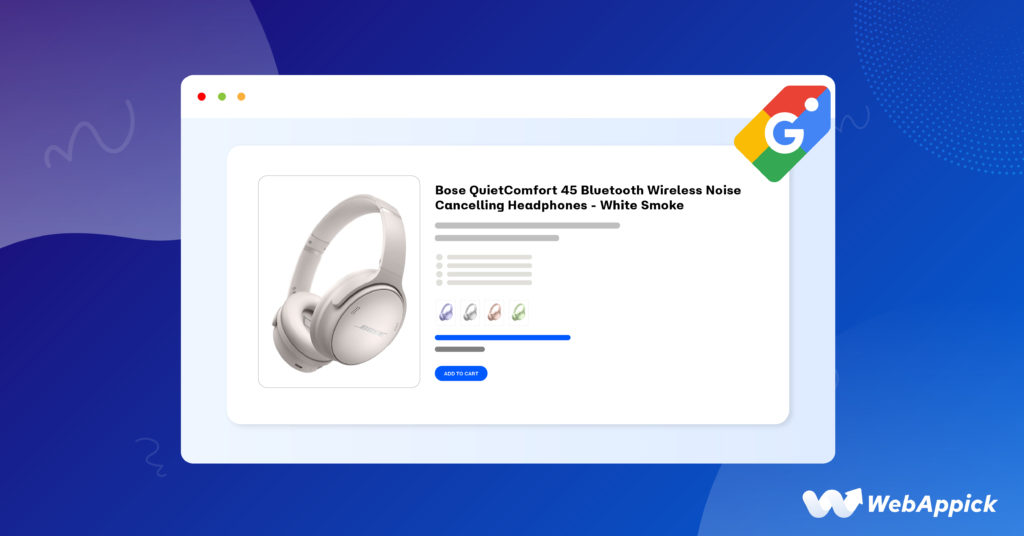
Yet most WooCommerce stores use raw product names written for on-site SEO not for paid channel performance.
Why Product Title Optimization Matters for ROAS?
Google Shopping and Meta Catalog use product titles as primary relevance signals.
A title like ‘Blue Running Shoes – Men‘ will match far fewer high-intent queries than ‘Men’s Lightweight Blue Trail Running Shoes – Size 8-13 | Nike Rival‘.
The more relevant the title, the better the Quality Score, the lower the CPC, and the higher the ROAS.
How AI Automates Title Optimization?
AI tools analyze top-ranking competitor titles, mine your Google Search Console and Merchant Center query data, and apply NLP to identify which keyword patterns drive the most qualified traffic.
They then automatically rewrite titles using proven high-performance structures without any manual work.
Proven Title Structures That Drive Higher CTR
| Product Type | Recommended AI Title Structure | Example |
| Apparel | Brand + Gender + Product + Color + Size | Nike Men’s Running Jacket Blue XL |
| Electronics | Brand + Model + Key Spec + Use Case | Sony WH-1000XM5 Noise Cancelling Headphones |
| Home & Garden | Material + Product + Dimensions + Feature | Solid Oak Dining Table 180cm Extendable |
| Toys & Games | Age Range + Product + Key Feature + Brand | Ages 4+ LEGO City Police Station Building Set |
How CTX Feed Enables Title Optimization?
CTX Feed’s dynamic title builder lets you construct optimized titles using a combination of product variables, custom text, and channel-specific logic.
For example, you can set a rule that builds your title as:
| {brand} + {product_name} + {attribute:color} + {attribute:size} + {custom_label_0} |
This means every product in your catalog automatically gets a structured, keyword-rich title without any manual editing.
You can also create conditional rules for example, appending ‘Free Shipping‘ only to products above a certain price threshold, or adding seasonal terms like ‘Summer Sale’ to specific categories.
Strategy 2: Smart AI-Assisted Product Categorization
Incorrect or vague product categorization is a silent ROAS killer.
If your ‘Men’s Running Shoes‘ are categorized as generic ‘Footwear‘ instead of ‘Apparel & Accessories > Shoes > Athletic Shoes > Running Shoes‘, Google cannot accurately place your ads in relevant shopping contexts and you end up paying for impressions from the wrong audiences.

How AI Categorization Works?
AI categorization tools use natural language processing to analyze your product titles, descriptions, and existing category data.
They then automatically map each product to the most granular matching node in Google’s Product Taxonomy which has over 6,000 categories or Meta’s product category tree.
The more granular your category mapping, the more precisely Google can match your products to shopper queries.
This directly lowers your cost-per-acquisition.
How CTX Feed Enables Smart Categorization?
CTX Feed includes a powerful category mapping interface that lets you map your WooCommerce product categories directly to Google Product Taxonomy values.
You can apply bulk mappings, set fallback rules, and even use product-level overrides for exceptions ensuring every product in your feed lands in the most precise category possible.
More granular categorization means better auction targeting, lower CPCs, and a direct lift in ROAS.
Strategy 3: Dynamic Attribute Enrichment with AI
Google Shopping requires a minimum set of attributes for each product title, description, price, availability, image, and for certain categories, GTIN, MPN, brand, color, size, and material.
Many WooCommerce stores have gaps in these fields, which leads to feed disapprovals, reduced ad eligibility, and lower visibility.
Required vs. Recommended Feed Attributes
| Attribute | Required? | Impact If Missing |
| title | Required | Ad not eligible to serve |
| price | Required | Ad not eligible to serve |
| availability | Required | Ad not eligible to serve |
| gtin | Required for branded products | Reduced visibility; disapproval risk |
| brand | Required for branded products | Lower Shopping Graph match accuracy |
| color / size | Required for apparel | Ad disapproved for clothing/footwear |
| product_type | Recommended | Weaker category signal; lower bid accuracy |
| description | Recommended | Fewer query matches; lower Quality Score |
How AI Fills Missing Attributes?
AI-powered enrichment tools can infer missing attributes from existing product data.
For example, if a product has no color listed but the title says ‘Navy Blue Chino Pants‘, an AI system can extract ‘Navy’ as the color value.
Similarly, AI can cross-reference product UPCs with external databases to fill missing GTINs a critical field for Google’s Shopping Graph.
How CTX Feed Enables Attribute Enrichment?
CTX Feed allows you to build attribute values dynamically using combinations of WooCommerce fields, custom fields, product attributes, and static text.
You can set fallback values for missing fields, apply string manipulation functions (such as extracting a substring from a title), and use conditional rules to assign values based on category or product type.
Combined with proper WooCommerce product data hygiene, this approach ensures your feed always has the complete attribute set required by each channel minimizing disapprovals and maximizing eligible impressions.
Strategy 4: Feed Segmentation by Product Performance
Not every product in your catalog deserves equal ad investment.
High-margin items, bestsellers, and new arrivals should be treated differently from slow-movers, low-margin SKUs, and seasonal clearance items.
Yet most WooCommerce stores submit a single flat feed covering everything letting the ad platform decide where to spend your budget.
Why Feed Segmentation Improves ROAS?
When you send a single unsegmented feed, Google’s Smart Bidding algorithm has to treat all your products equally at first.
It takes time and budget for the algorithm to learn which products convert.
Feed segmentation using custom labels gives Google the signals it needs to bid more aggressively on your best products from day one.
How AI Performance Segmentation Works?
AI performance segmentation tools analyze your historical sales data, margins, conversion rates, and ad performance metrics to automatically classify products into tiers.
High-value products get enriched feeds with premium bidding signals.
Low-performers are either excluded entirely or placed in a suppressed feed with minimal investment.
How CTX Feed Enables Feed Segmentation?
CTX Feed’s advanced filter and rule engine lets you create multiple segmented feeds from a single product catalog. For example:
- Feed A: Bestsellers Feed: Only products with more than 50 orders in the last 30 days, with enhanced titles and custom labels flagging them as top performers
- Feed B: New Arrivals Feed: Products published in the last 14 days, with custom labels set to ‘new_arrival’ for targeted bid adjustment
- Feed C: High Margin Feed: Products with profit margin above 40%, with enriched descriptions and aggressive bidding signals
- Feed D: Clearance Feed: Products with stock below 5 units or older than 180 days, with reduced visibility and lower bids
By assigning custom_label_0 through custom_label_4 values in CTX Feed’s rule engine, you give your Google Ads account the segmentation signals it needs to apply smart bidding strategies at the product level a direct lever on ROAS.
Strategy 5: AI-Driven Price and Availability Sync
One of the fastest ways to accumulate Google Merchant Center disapprovals and tank your ROAS is to have mismatched pricing or inaccurate availability data between your feed and your website.
Google crawls your product pages and compares them against your feed data.
Any discrepancy triggers a disapproval.
The Real Cost of Stale Product Feed Data
A single pricing mismatch on a high-volume SKU can cause an account-level suspension in Google Merchant Center.
Beyond disapprovals, stale data means shoppers clicking your ads see different prices on your site destroying trust and killing your conversion rate.
How AI Sync Scheduling Works?
Real-time feed synchronization engines use AI scheduling to determine optimal refresh frequencies based on how often your product data changes — avoiding unnecessary server load while ensuring feed accuracy is never stale for more than a minimal window.
How CTX Feed Enables Real-Time Sync?
CTX Feed supports automatic feed refresh at intervals as frequent as every hour.
Every time a product price, stock level, sale price, or availability changes in WooCommerce, the next scheduled feed sync propagates that change to all connected channels automatically.
This eliminates the single most common cause of feed disapprovals and ensures your shoppers always see accurate pricing protecting both your ad eligibility and your conversion rate.
Best Practice: Set your CTX Feed sync frequency to match your product update velocity. For stores running daily flash sales or frequent price changes, an hourly sync is highly recommended to maintain feed accuracy and prevent Google Merchant Center disapprovals.
Strategy 6: Optimizing Product Feeds for AI Search Engines and Google’s Shopping Graph
Google’s Shopping ecosystem is increasingly powered by AI.
Google’s Shopping Graph a dynamic dataset of over 35 billion product listings uses machine learning to understand product relationships, pricing trends, and user intent signals.
How well your feed data maps to the Shopping Graph’s expectations directly impacts whether your products appear in AI-generated shopping results, Google’s Search Generative Experience (SGE), and new AI-powered shopping features.
What Optimizing for AI Search Visibility Means?
To optimize your product feeds for AI search engines, you need to go beyond minimum required attributes.
Structured, semantically rich product data including detailed descriptions, product highlights, structured specifications, accurate categorization, and rich media gives Google’s AI the input it needs to surface your products in the right contexts.
This is especially critical as Google’s AI Overviews now appear above standard search results for many shopping queries.
Products with richer, more complete feed data are more likely to be featured in these AI-generated summaries.
Key Feed Optimization Signals for AI Search Visibility?
- Structured product specifications in the description field (material, dimensions, use case, compatibility)
- Correct and granular Google Product Taxonomy categorization avoid generic top-level nodes
- Product highlights using the product_highlight attribute (supported in Google Merchant Center)
- Accurate GTIN and MPN data to enable cross-referencing with Google’s product knowledge graph
- Rich product images including multiple angles and lifestyle shots where supported
- Semantic product descriptions that answer the questions shoppers ask not just a list of specs
How CTX Feed Enables AI Search Optimization?
CTX Feed lets you build description fields that combine multiple WooCommerce data points short description, attributes, custom fields into a structured, information-dense text block that feeds Google’s AI more signal per product.
Combined with accurate GTIN mapping and granular categorization, this approach positions your products favorably within the Shopping Graph and improves visibility in AI-driven search surfaces.
Strategy 7: Intelligent Negative Product Filtering
Submitting every product in your catalog to your ad feeds is rarely the right approach.
Products that are out of stock, below profitability thresholds, have poor historical CTR, or are simply inappropriate for paid promotion pollute your feed quality and dilute your budget.
How AI-Powered Filtering Works
AI-powered filtering systems analyze product-level performance data and automatically suppress products that fall below defined ROAS thresholds, have high return rates, or trigger quality issues.
This creates a dynamic inclusion/exclusion system that improves over time as it ingests more performance data.
How CTX Feed Enables Intelligent Filtering?
CTX Feed’s rule-based filter engine lets you apply precise exclusion logic across your entire catalog. Common intelligent filtering rules include:
- Exclude all products with stock quantity = 0 or availability = ‘out of stock‘
- Exclude products with a regular price below a minimum margin threshold (e.g., under $15)
- Exclude products from specific categories that historically underperform in paid channels
- Include only products with a featured image to ensure visual quality standards are met
- Exclude draft or private WooCommerce products that should not be publicly advertised
- Exclude products with titles shorter than 20 characters a common signal of poor data quality
These rules can be combined using AND/OR logic, giving you surgical control over exactly which products appear in which feeds ensuring your ad budget is always focused on your most viable inventory.
Strategy 8: Multi-Channel Product Feed Personalization
Google Shopping, Meta Catalog, TikTok Shop, and Pinterest each have different feed specifications, different audience behaviors, and different content norms.
A title optimized for Google’s keyword-matching algorithm may not resonate on Meta, where visual storytelling and lifestyle context drive performance.
Sending the exact same feed to every channel is a missed opportunity.
Why One Feed Does Not Fit All Channels?
Each shopping channel has its own feed spec, its own audience intent, and its own ranking signals. Google rewards keyword-density and GTIN accuracy.
Meta rewards lifestyle relevance and social proof.
TikTok rewards trend alignment and emotional resonance. Treating them all the same means you are optimized for none of them.
How AI-Driven Multi-Channel Feed Management Works?
AI-driven multi-channel personalization tools apply channel-specific transformations to your product data adjusting title structures, description tones, image selections, and attribute formats based on what performs best on each platform.
How CTX Feed Enables Multi-Channel Optimization?
CTX Feed’s channel-specific templates let you create distinct, independently optimized feeds for each platform from the same WooCommerce product catalog.
For example:
| Channel | Optimized Title Structure | Key Customizations |
| Google Shopping | Brand + Product Name + Key Attribute | GTIN required; granular taxonomy; white background image |
| Meta/Facebook Catalog | Product Name + Lifestyle Context | Lifestyle image variant preferred; social proof in description |
| TikTok Shop | Trending keywords + Emotional hook | Short punchy title; trend-aware language; vertical video thumbnail |
| Bing Shopping | Similar to Google + Bing category node | MPN preferred over GTIN; slightly longer descriptions |
| Inspirational product framing | Vertical image; mood-driven description; seasonal keywords |
With CTX Feed, you maintain one source of truth your WooCommerce catalog while generating channel-perfect feeds for each platform simultaneously.
No duplicated work. No multiple spreadsheets.
Strategy 9: AI Image Optimization for Higher Product Feed CTR
In visual-first channels like Google Shopping, Meta, and TikTok, your product image is your ad creative.
Research consistently shows that image quality, background type, and product angle are among the strongest predictors of CTR often more impactful than title optimization alone.
What AI Image Optimization Does for Your Feed?
AI image optimization tools can automatically select the highest-performing image variant for each product, test white-background versus lifestyle images by channel, detect low-resolution or watermarked images that violate channel policies, and even generate background-removed or enhanced images at scale.
Product Feed Image Best Practices by Channel
- Google Shopping: Use clean white-background images — Google’s algorithm actively favors them for apparel and general merchandise. Minimum 800x800px, ideally 1000x1000px.
- Meta & TikTok: Test lifestyle images where social context increases engagement and emotional connection with the product.
- All channels: Avoid promotional overlays, watermarks, or text-on-image in primary feed images Google and Meta will disapprove.
- Pinterest: Vertical images (2:3 ratio) significantly outperform square or landscape formats in both CTR and engagement.
- Additional images: Use the additional_image_link attribute to submit multiple angles platforms select the best image for each placement automatically.
How CTX Feed Enables Feed Image Optimization?
CTX Feed supports both the primary image_link field and up to ten additional_image_link fields per product.
You can map these to WooCommerce gallery images, letting Google and other platforms choose the most relevant image for each placement giving the algorithm more creative signal to optimize with.
Strategy 10: Continuous Feed Testing and AI-Driven Performance Analytics
Feed optimization is not a one-time task.
Search query patterns shift seasonally, competitor catalogs evolve, and channel algorithm updates change what attributes carry the most weight.
The stores that consistently win in paid shopping channels are those that treat their product feeds as a living, continuously improving asset.
What to A/B Test in Your Product Feed?
- Title structure variations – does including size/color in the title improve CTR for your category?
- Description length and format – do structured bullet-style descriptions outperform paragraph descriptions?
- Custom label segmentation – do bid adjustments based on margin tiers improve overall ROAS?
- Category depth – does moving to a more granular Google taxonomy node change impression share?
- Image type – does white background vs. lifestyle image affect CTR differently by product type?
- Price anchoring – does showing
sale_pricealongside regular_price improve conversion rate?
How AI Accelerates Feed Testing and Analytics?
Modern AI analytics platforms integrated with Google Merchant Center and Google Ads can surface product-level performance anomalies automatically — flagging products with declining CTR, rising CPC, or below-average ROAS so you can investigate and fix the underlying feed issue quickly.
How CTX Feed Enables Continuous Feed Improvement
CTX Feed’s rule engine makes it straightforward to create test variants of your feed — for example, a ‘title_test’ feed that applies an alternative title structure to a subset of products, which you can then compare in Google Ads using custom labels.
Combined with Merchant Center’s product performance reports, you build a continuous improvement loop that compounds ROAS gains over time.
Power Move: Use CTX Feed’s custom_label fields to tag your test variants. In Google Ads, create separate asset groups for each label and compare performance over 14–30 days. The winner becomes your new default feed rule.
Best AI Tools for AI Product Feed Optimization in 2026
Here is a quick comparison of the leading product feed management and optimization tools. CTX Feed is positioned as the strongest native WooCommerce option:
| Tool | Best For | WooCommerce Native? | Pricing Model | AI Features |
| CTX Feed | WooCommerce stores; full attribute control | Yes — WordPress plugin | One-time / Annual license | Dynamic rules, auto-sync, attribute enrichment |
| DataFeedWatch | Multi-channel SaaS; agencies | Via API integration | Monthly SaaS fee per channel | Title rewriting, feed mapping, analytics |
| Channable | Large catalogs; automation | Via API integration | Monthly SaaS fee by SKU volume | Rule engine, performance bidding, ERP sync |
| Feedonomics | Enterprise; full-service managed | Via integration | Enterprise pricing | Fully managed AI optimization |
| Perpetua | Amazon + Walmart focus | Limited | Monthly SaaS fee | Bid automation, sponsored ads AI |
For WooCommerce store owners, CTX Feed stands out for three key reasons: it lives inside your WordPress dashboard with no data leaving your server, it requires no per-channel SaaS fees, and it gives you deep attribute-level control that SaaS feed tools often abstract away behind simplified interfaces.
Optimizing Your WooCommerce Product Feed for AI Search Engines in 2026
As Google’s Search Generative Experience (SGE) and AI Overviews become the primary shopping discovery surface for millions of users, the stakes for feed quality are rising further.
Google’s AI no longer just matches keywords it understands product context, user intent, and category relationships at a semantic level.
Products that appear in Google AI Overviews and SGE shopping panels tend to have three things in common: complete feed data, semantically rich descriptions, and accurate structured identifiers (GTIN, MPN, brand).
Feed Optimization Checklist for AI-Powered Search Visibility
- Feed completeness: Zero missing required or recommended attributes across your entire catalog
- Semantic richness: Descriptions that explain use cases, compatibility, and user benefits in natural language
- Structured specifications: Product dimensions, materials, certifications in a consistent, machine-readable format
- Accurate GTIN data: The single most important identifier for Google’s Shopping Graph cross-referencing
- Category precision: The most granular Google Product Taxonomy node that accurately describes each product
- Feed freshness: Updated at minimum every 24 hours; hourly for high-velocity catalogs with frequent price changes
- N-gram keyword coverage: Titles and descriptions should naturally include 2, 3, and 4-word phrase variations users actually search for
CTX Feed’s combination of structured attribute mapping, dynamic title and description generation, category mapping, and auto-sync functionality makes it an ideal foundation for feeding Google’s AI with the data quality signals it needs to surface your products prominently.
Common AI Product Feed Optimization Mistakes to Avoid
Even experienced WooCommerce store owners make these feed optimization errors. Avoiding them can unlock significant ROAS improvements almost immediately.
Mistake 1: Optimizing Titles for Your Website, Not the Shopping Channel
Website product names are often short, brand-centric, or designed for navigation not for keyword matching in paid search.
Always create a separate, channel-optimized title in your feed using CTX Feed’s dynamic title rules.
Never use your WooCommerce product name directly without enrichment.
Mistake 2: Using the Same Feed for Every Channel
Google, Meta, and TikTok have fundamentally different audience intent and content norms. A single feed optimized for Google Shopping will underperform on Meta.
Use CTX Feed’s channel templates to create independently optimized feeds for each platform.
Mistake 3: Ignoring Feed Refresh Frequency
A stale feed is an invisible ROAS drain. If your prices change daily and your feed only refreshes weekly, you risk disapprovals, customer frustration, and conversion rate drops.
Set CTX Feed to sync hourly for high-velocity stores.
Mistake 4: Including Every Product in Every Feed
Low-margin, out-of-stock, and historically underperforming products dilute your feed quality and drain your budget.
Use CTX Feed’s filter rules to build smart inclusion/exclusion logic and direct your budget to your most profitable SKUs.
Mistake 5: Skipping GTIN Data
GTIN is the single most important attribute for Google’s Shopping Graph.
Without it, your products cannot be cross-referenced against Google’s product knowledge graph meaning lower ad eligibility and visibility.
If you sell branded products, sourcing and mapping GTINs should be your highest priority feed optimization task.
Frequently Asked Questions About AI Product Feed Optimization
What is AI product feed optimization?
AI product feed optimization uses artificial intelligence and machine learning to automatically improve the quality, completeness, and channel relevance of product feed data used in shopping ads. This includes automated title generation, attribute enrichment, dynamic categorization, performance-based filtering, and real-time synchronization — all without manual effort at the individual product level.
How does AI product feed optimization improve ROAS?
AI improves ROAS by making product feeds more relevant to shopping channel algorithms. Better feed quality means higher ad Quality Scores, lower cost-per-click, more accurate audience targeting, and fewer wasted impressions — all of which directly improve return on ad spend. Stores that implement structured AI feed optimization typically see CTR improvements of 15–40% and ROAS lifts of 20–60% within 60 days.
What is CTX Feed and how does it optimize WooCommerce product feeds?
CTX Feed is a WooCommerce Product Feed Manager Plugin by WebAppick that lets store owners create and manage optimized product feeds for 130+ shopping channels directly from WordPress. Its dynamic rule engine, attribute mapping, category mapping, and auto-sync features enable AI-level feed optimization without requiring a separate SaaS subscription — making it the most cost-efficient feed optimization solution for WooCommerce stores.
What are the best AI tools for product feed optimization in ecommerce 2026?
The best tools depend on your platform and scale. For WooCommerce stores, CTX Feed offers the strongest native integration and cost-efficiency. For large multi-platform catalogs with agency management needs, DataFeedWatch and Channable are strong contenders. Enterprise brands may benefit from Feedonomics’ fully managed AI optimization service.
How do I optimize my WooCommerce product feed for Google Shopping?
Install CTX Feed, select the Google Shopping template, map all required and recommended attributes (including GTIN, brand, color, size), use dynamic title rules to create keyword-rich titles, set up auto-sync for real-time accuracy, exclude ineligible products using filter rules, and submit the generated feed URL to Google Merchant Center.
Can AI-driven product feed tools work for multi-channel ecommerce?
Absolutely. AI-driven feed tools like CTX Feed are specifically designed for multi-channel distribution. You can create channel-specific feed variants from a single product catalog — each optimized for the unique specifications and audience behavior of Google, Meta, TikTok, Pinterest, Bing, and other platforms simultaneously.
How often should I update my WooCommerce product feed?
For most stores, a 6–12 hour refresh interval is sufficient. If you run flash sales, frequently update pricing, or have high inventory turnover, set CTX Feed to sync every 1–2 hours. Google recommends refreshing your feed at least every 24 hours to maintain feed health and avoid disapprovals for stale data.
What is the Google Shopping Graph and how does it affect my product feed?
Google’s Shopping Graph is a dynamic dataset of over 35 billion product listings that Google uses to match products to search queries, compare pricing, and surface products in AI-generated shopping results. Products with complete, accurate, and semantically rich feed data are more likely to appear prominently in Shopping Graph results, AI Overviews, and SGE shopping panels.
Conclusion: Build AI-Optimized Product Feeds That Outperform
AI product feed optimization is no longer a luxury reserved for enterprise ecommerce brands with dedicated feed management teams.
In 2026, the tools and strategies to build high-performance, AI-optimized product feeds are accessible to any WooCommerce store owner willing to invest the time in setting them up correctly.
The 10 strategies covered in this guide — from AI-powered title optimization and smart categorization to multi-channel feed personalization and continuous feed testing — represent a