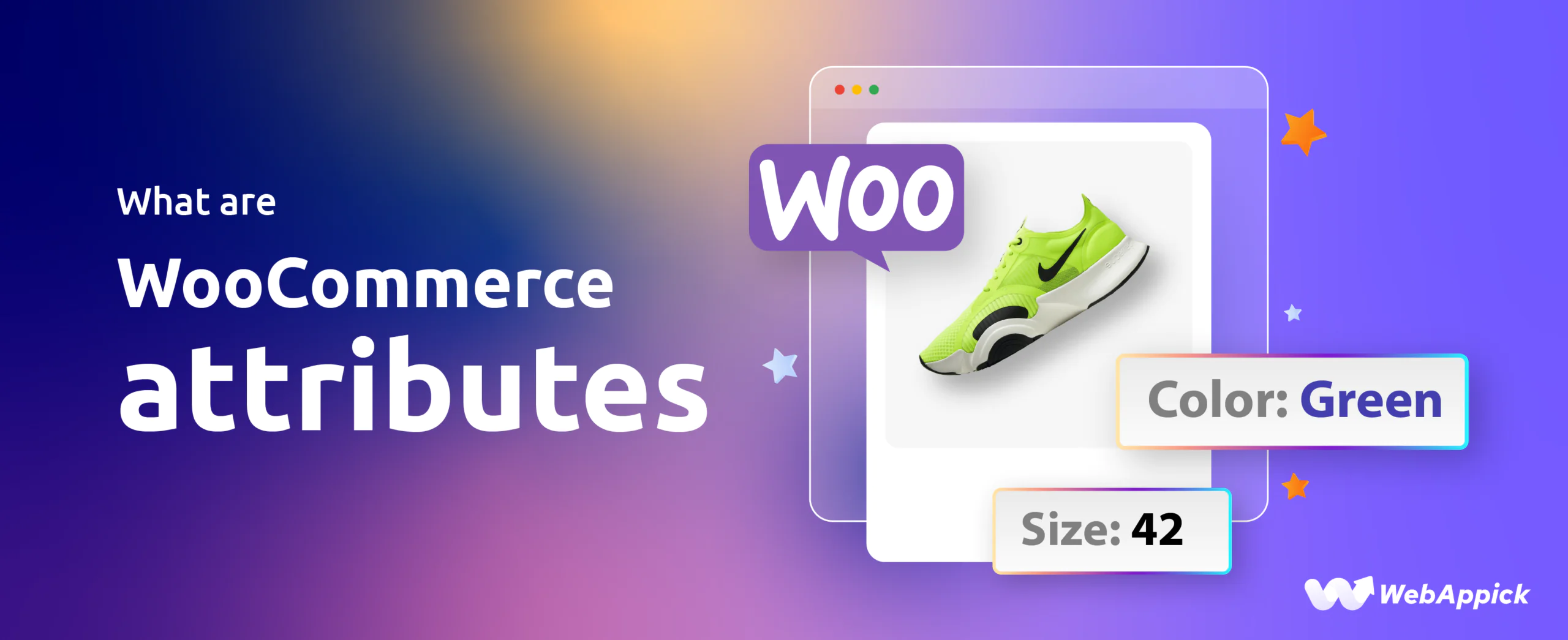
WooCommerce attributes are structured product data fields used to define key product characteristics such as size, color, material, brand, and more. They help organize products, enable filtering, and support variations in WooCommerce stores.
Unlike simple product descriptions, attributes create a structured system that improves product discovery, search relevance, and customer decision-making.
Key Takeaways
- WooCommerce attributes define product characteristics like size, color, and material
- They improve product filtering, search, and store navigation
- Attributes are different from variations (attributes define, variations are purchasable versions)
- Global attributes are reusable, while custom attributes are product-specific
- Proper attribute structure improves SEO and product visibility
What Are WooCommerce Attributes?
WooCommerce Attributes are customizable characteristics of a product such as size, color, or material, used to describe, differentiate, and organize items in an online store. They are especially important for creating variable products (e.g., a “Blue, Large” t-shirt), where each variation can have its own price, SKU, and stock level. Attributes also support product filtering and can improve store navigation and SEO.
What are the Types of WooCommerce Attributes?
WooCommerce attributes can be broadly categorized into two main types:
Global Attributes: Reusable Product Features for Your Entire Store
These attributes are reusable across all products in your WooCommerce store. They can be applied to any product that shares the same characteristics. Global attributes are perfect for common features like size, color, or brand, which apply to several products.
Example: A clothing store might define global attributes such as:
- Size: Small, Medium, Large
- Color: Red, Blue, Black
Custom Attributes: Product-Specific Features for Individual Products
Custom attributes are specific to individual products and are created while adding or editing a product. These are ideal for defining features that don’t apply across multiple products but are unique to a certain item or category.
Example: For a handcrafted item, you might define custom attributes like:
- Material: Handwoven cotton
- Origin: Artisan-made in Bali
These two types of attributes allow you to tailor your product listings to provide clear and helpful information for your customers while keeping things organized behind the scenes.
8 Essential WooCommerce Product Attributes for Better Store Management
Attributes are a fundamental part of any WooCommerce store. They help organize, filter, and structure products, improving both user experience and product discoverability. Below are the most essential product attributes every store should use:
1. Size for Fashion Products
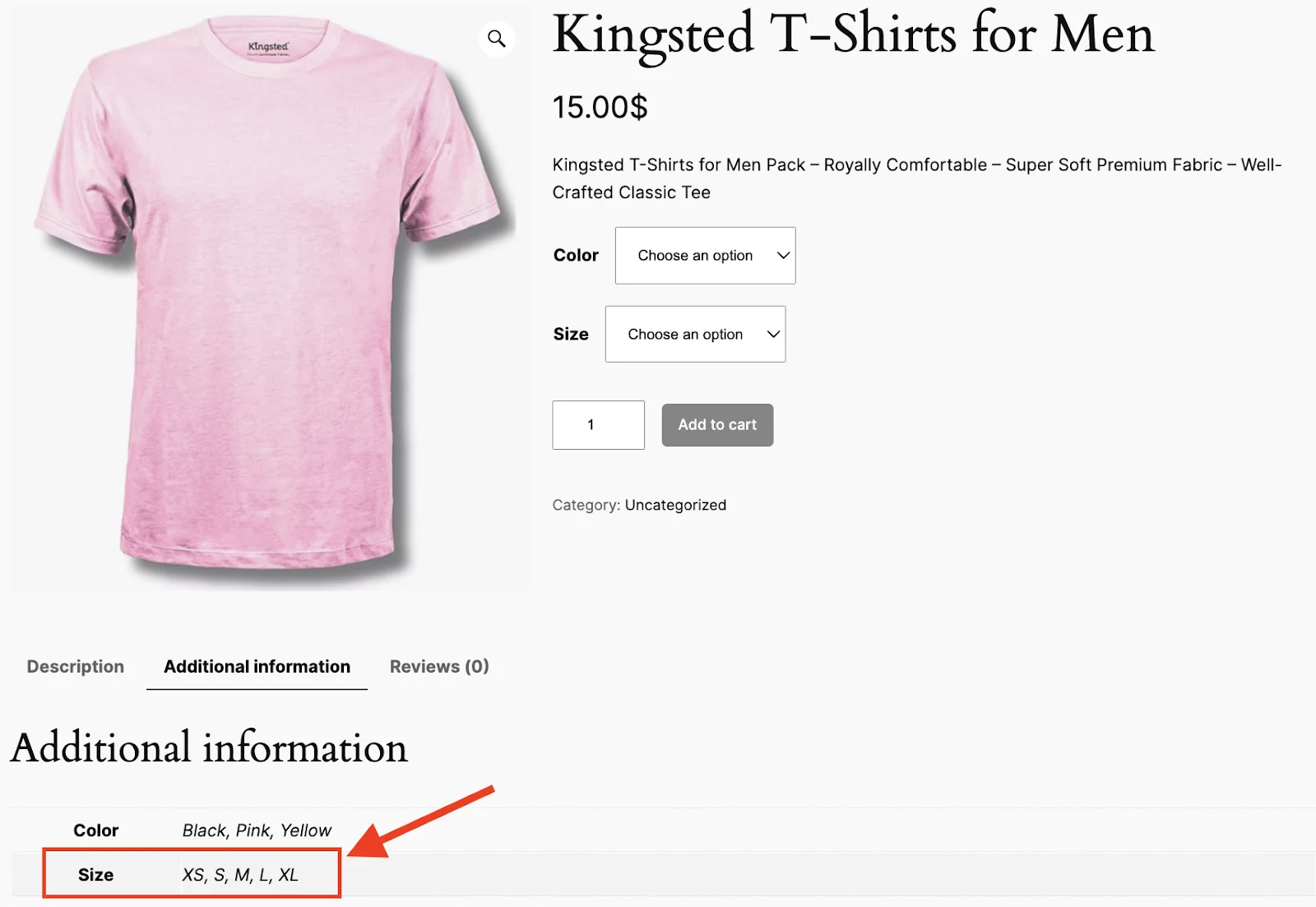
Size is one of the most common and crucial attributes for many types of products. Especially if you are in the fashion, furniture, and other industries where physical dimensions matter. Also, keep in mind that offering size options makes it easier for customers to find exactly what they need.
Example: A clothing store might use attributes like Small, Medium, and Large to define the available sizes for shirts, jackets, and other apparel.
Best Practices:
- Provide consistent sizing information across all products (e.g., Small, Medium, Large).
- Include a size chart to help customers select the correct size.
2. Color Options for Fashion Products
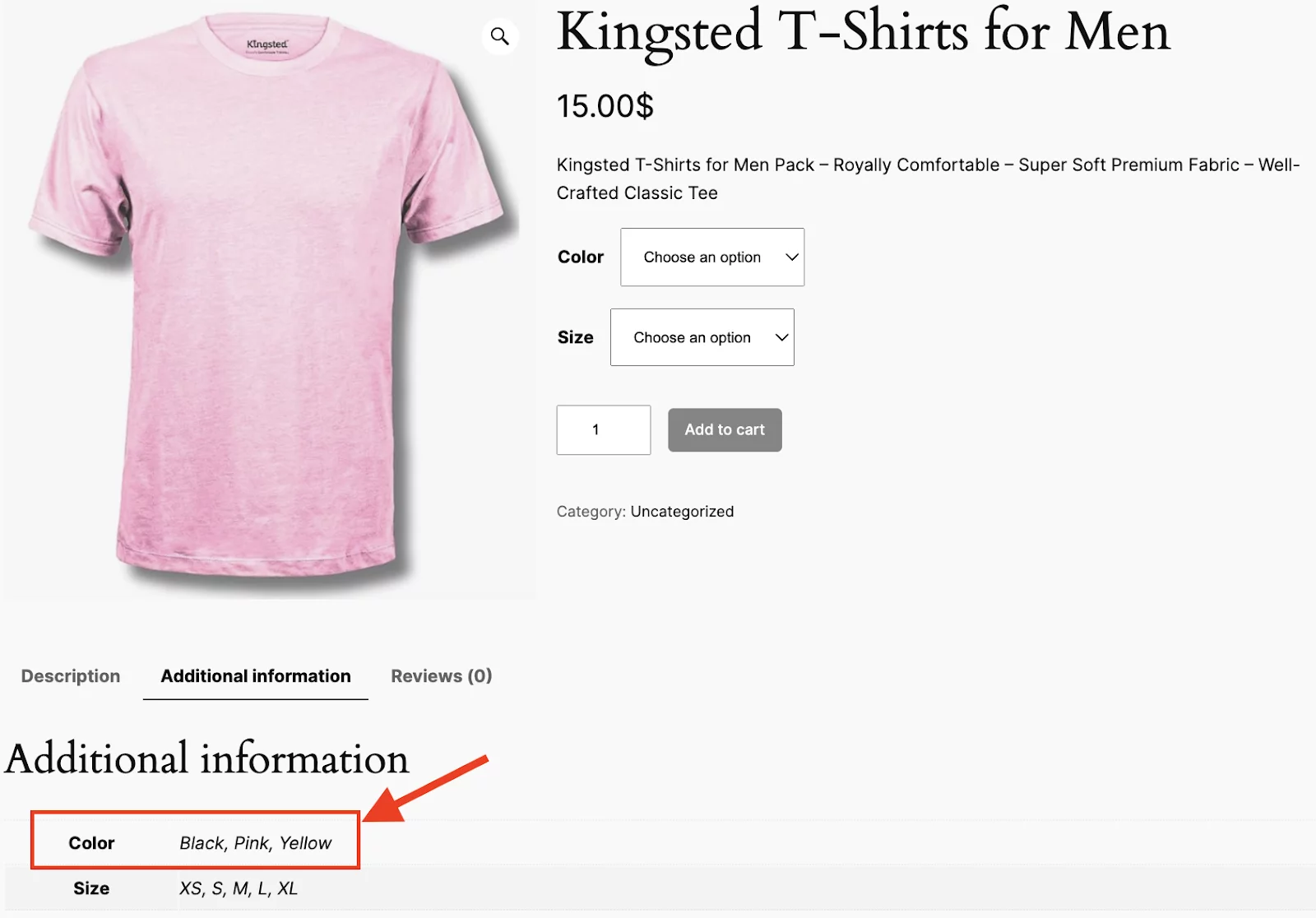
Color is another critical attribute, especially for fashion, home décor, and tech products. Customers often filter by color to narrow down their choices quickly.
Example: A store selling shoes might offer color options like Red, Black, White, or Blue for a particular style of sneaker.
Best Practices:
- Use clear color names that match customer expectations (e.g., Red, Navy Blue, Charcoal).
- Include high-quality images showing the actual color of the product.
- Avoid vague terms (e.g., “Off-White” instead of “Light Beige”).
Key Tip: If you want to include these important attributes in WooCommerce, have a look at our in-depth article on How to Add Color and Size Attribute to WooCommerce Products.
3. Material Details for Product Composition
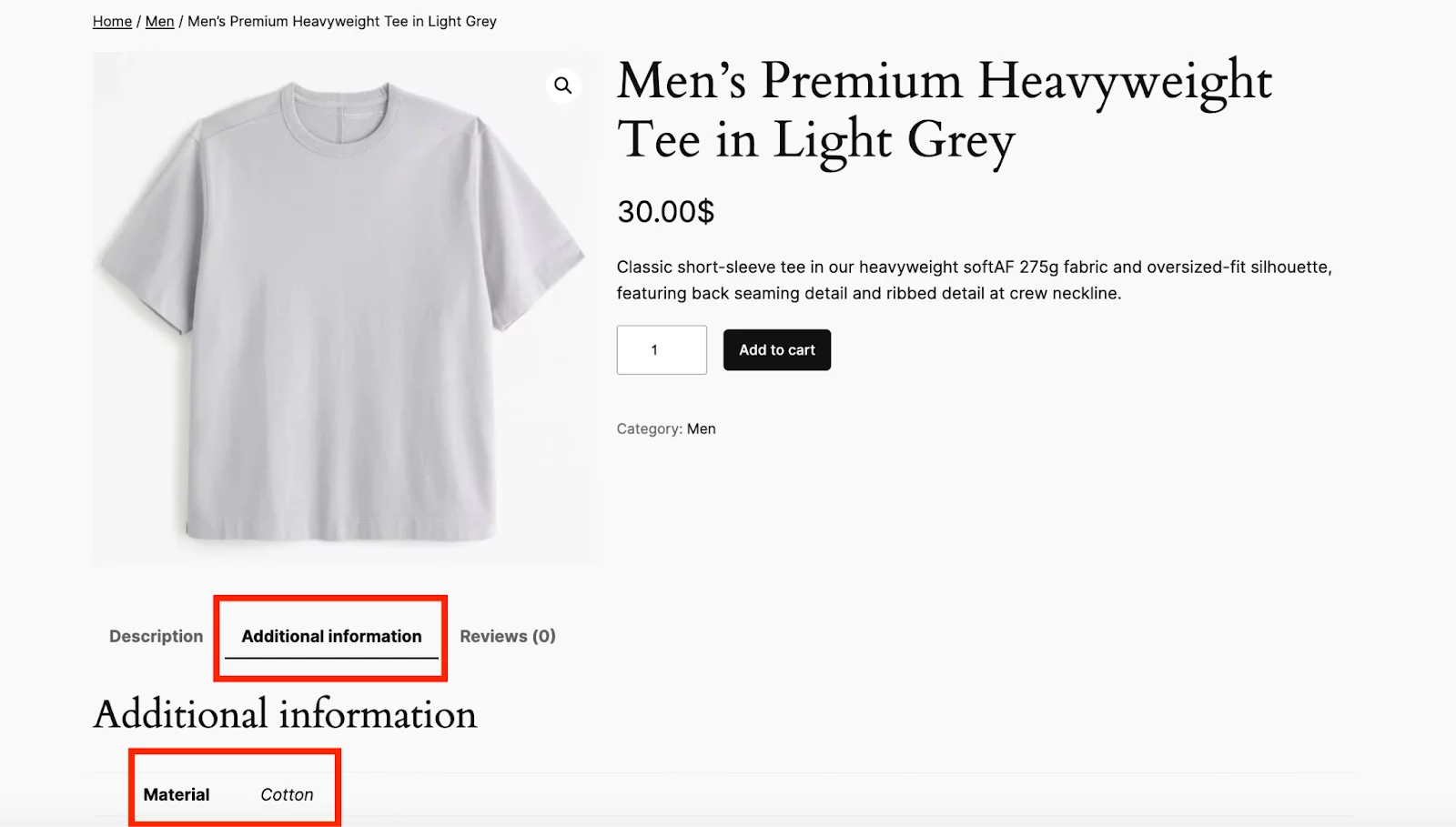
Material not only defines the quality and durability of a product but also plays a big role in customer decisions, particularly for items like furniture, clothing, and accessories.
Customers often filter by material preferences, whether it’s sustainable, hypoallergenic, or eco-friendly.
Example: A furniture store might use attributes like Wood, Leather, and Metal to define the material of sofas, chairs, and tables.
Best Practices:
- Specify the primary material used (e.g., Cotton, Leather, Stainless Steel).
- For eco-friendly products, include sustainability certifications where applicable.
4. Brand Information for Product Identification
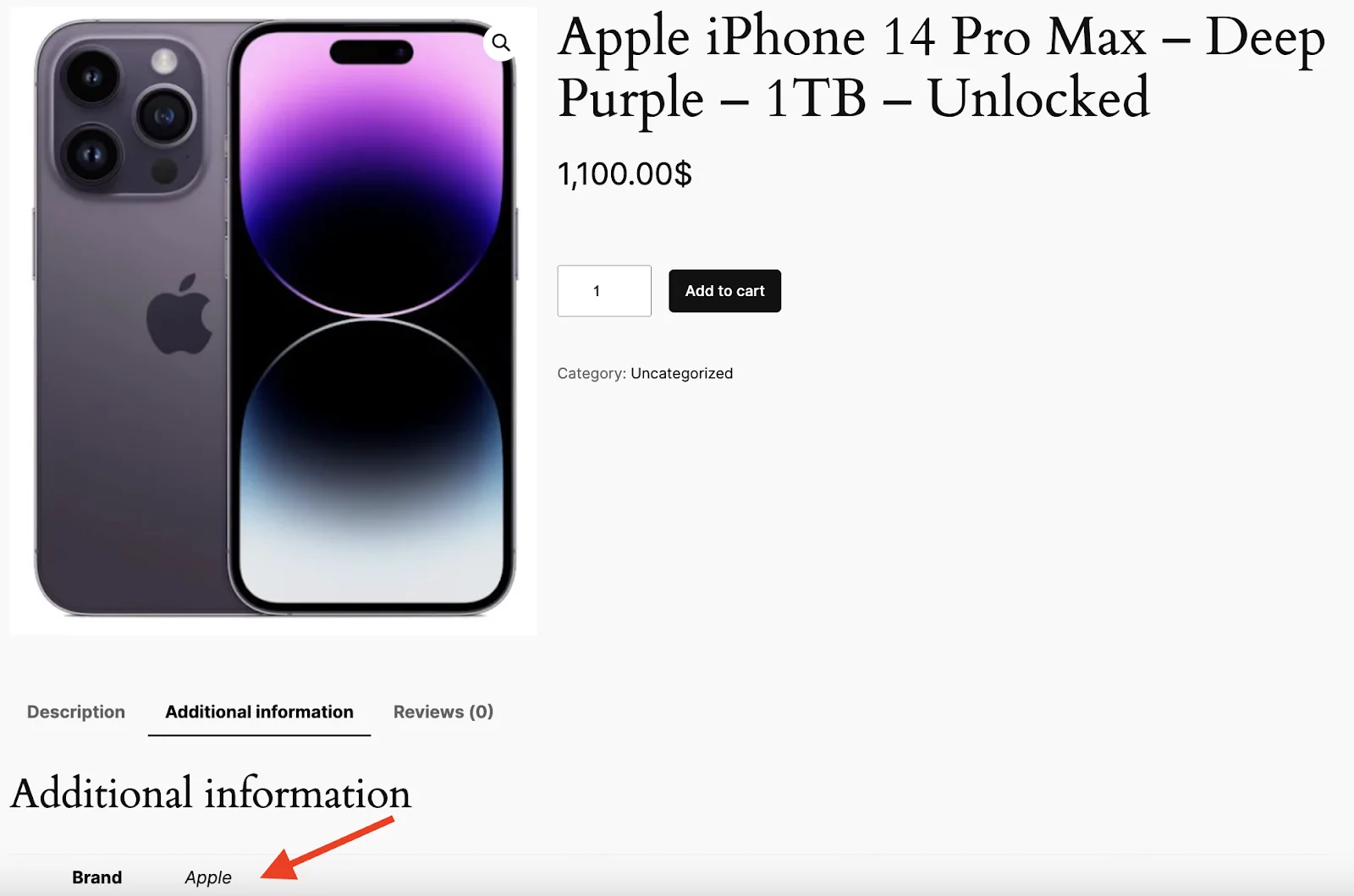
Think about your favorite jeans, t-shirts, or gadgets—chances are, you’re loyal to specific brands. Brand loyalty plays a huge role in customer purchasing decisions, making it a crucial attribute for your products.
By including a brand attribute, you enable customers to filter products based on their brand preferences. This is especially important in industries like fashion, electronics, and beauty, where brand reputation and trust can significantly influence purchasing choices.
Example: A tech store might use attributes like Apple, Samsung, and Sony to help customers quickly find products from their preferred brands.
Best Practices:
- Use the official brand name to maintain consistency.
- Ensure all brand names are spelled correctly to avoid confusion.
5. Weight Specifications for Shipping Calculations
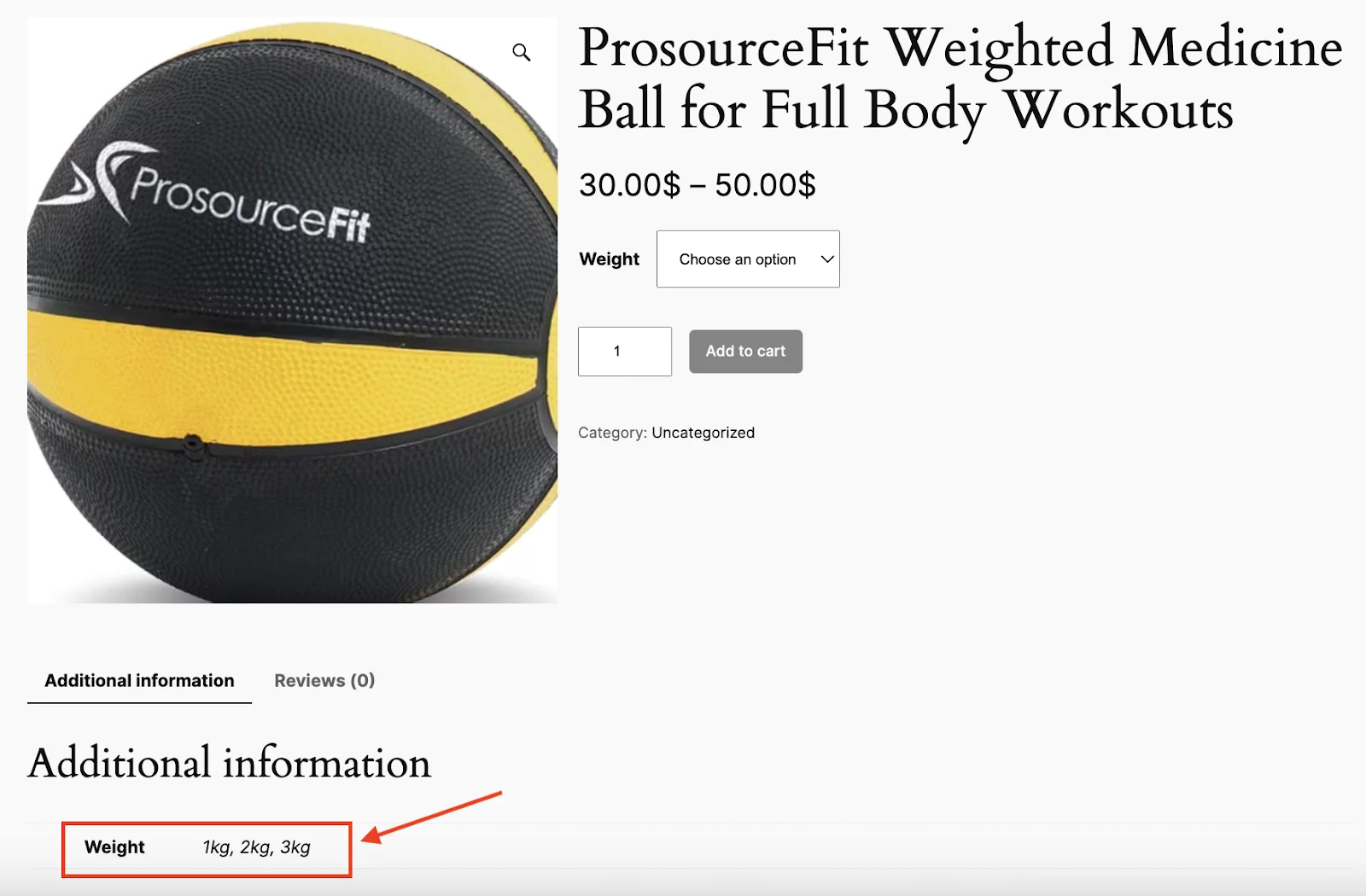
Weight is essential for shipping calculations and product descriptions. It helps customers assess the practicality of a product, such as for shipping or handling.
Moreover, it’s key for products like clothing, electronics, and outdoor gear where weight impacts usability.
Example: A sporting goods store might use Weight: 500g, 1kg, 1.5kg to define the weight of different exercise equipment.
Best Practices:
- Try to provide precise weight measurements in relevant units (e.g., grams, kilograms).
- You should ensure that weight is consistent across similar products (e.g., all shipping weight in pounds).
- Always make sure to display the weight of products that require shipping or delivery information.
6. Occasion-Based Product Classification
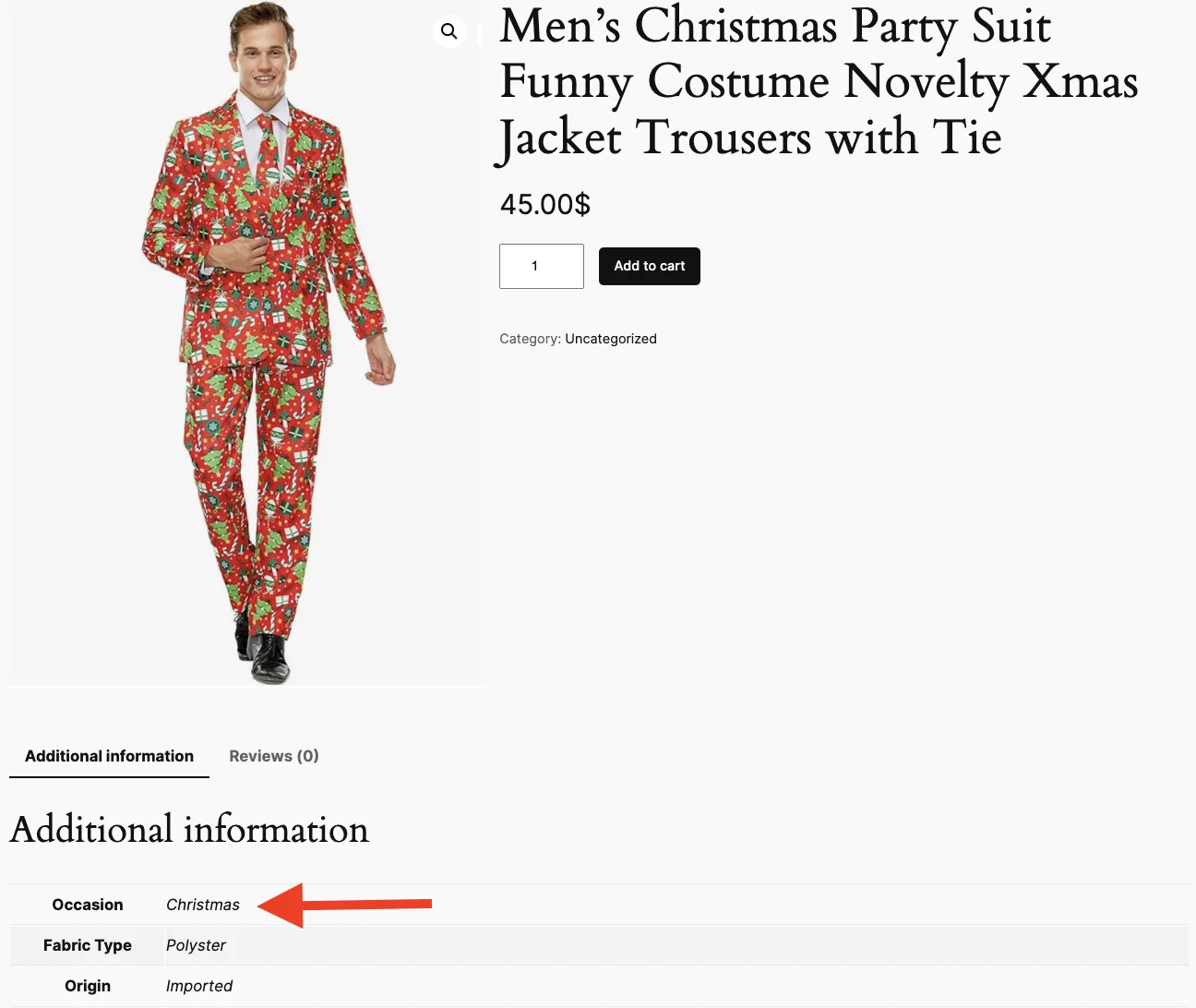
A lot of people ignore it, but another important WooCommerce attribute is the occasion attribute. It helps the customers choose products for specific events or purposes.
This is particularly useful for clothing, gifts, and decor items that are tailored to holidays, celebrations, or other special occasions.
Example: A gift shop might use attributes like Occasion: Birthday, Anniversary, Wedding, Christmas to categorize its offerings.
Best Practices:
- Keep the occasion attribute relevant to the product (e.g., Wedding, Christmas).
- Don’t overload with too many occasion categories—stick to the most common ones.
7. Style Categories for Fashion Products
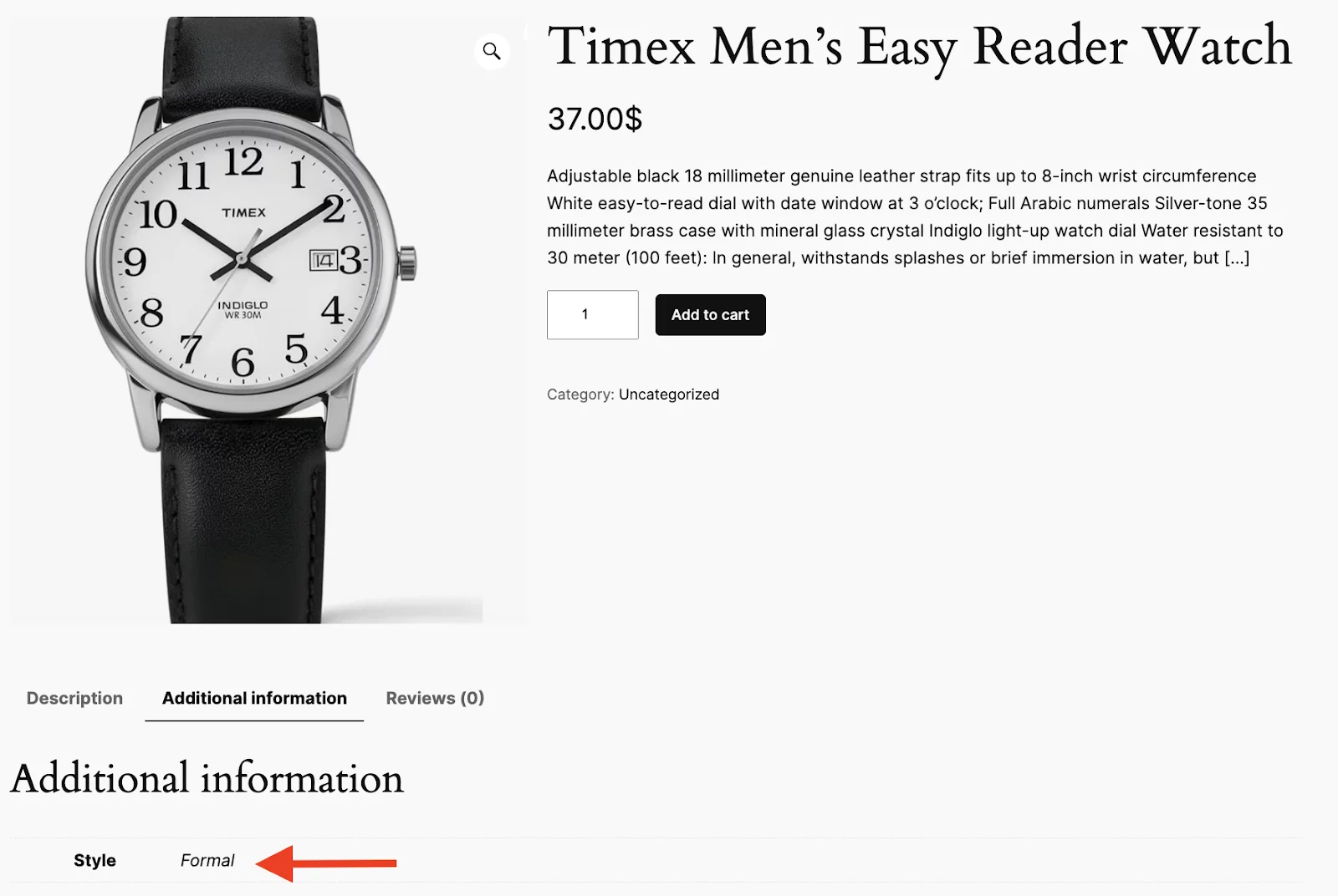
When shopping for clothing, furniture, or any other product, what is that one feature that grabs your attention, aside from the color and material?
It’s the style or design, of course!
Style is a key attribute of fashion, home decor, and accessories. It helps customers find products that match their aesthetic preferences, such as modern, vintage, or minimalist designs.
Whether for clothing, furniture, or other design-focused products, the style allows for quick selection based on a customer’s taste.
Example: A clothing store might use attributes like Style: Casual, Formal, Sporty, Bohemian to describe various clothing options.
Best Practices:
- Use clear, recognizable style terms like Casual, Formal, and Sporty.
- Keep the style attribute focused and avoid using too many categories for one product.
- Use a combination of style and material for better product categorization.
8. Age Group Targeting for Customer Segmentation
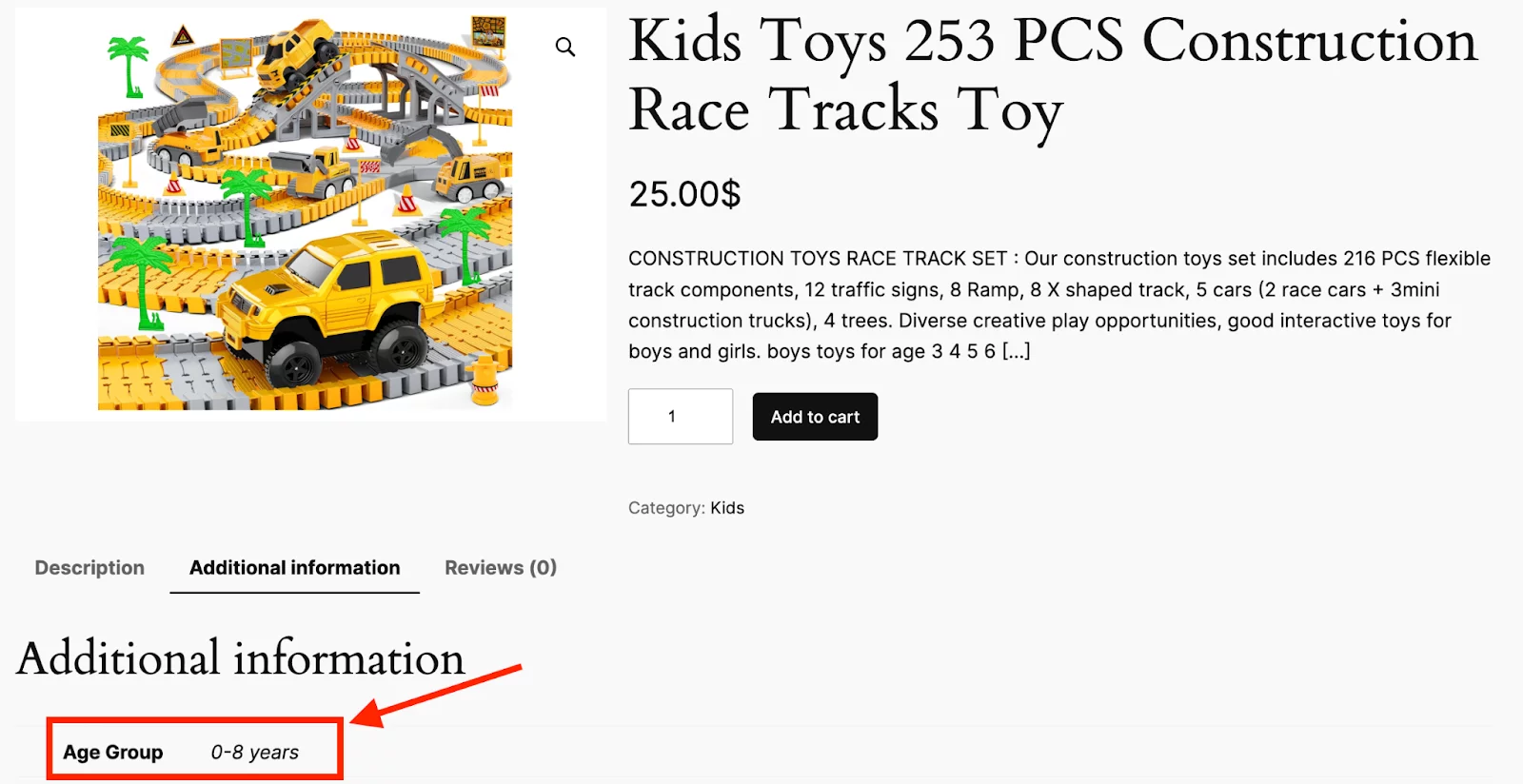
Age group attributes are essential for products aimed at different demographics. Particularly for children’s clothing, toys, or products for older adults. This helps customers quickly find items that are suitable for their age group, making shopping easier and more efficient.
Example: A toy store might use attributes like Age Group: 0-3 Years, 4-6 Years, 7-10 Years to organize toys based on age-appropriate categories.
Best Practices:
- You should specify exact age ranges (e.g., 0-3 years, 4-6 years).
- Ensure age group attributes are age-appropriate and related to safety.
- Be specific about any product restrictions for certain age groups (e.g., choking hazards).
It’s important to showcase as many essential attributes as possible in your WooCommerce products. It will help the customers with all the details they need to make informed decisions.
Now, if you’re unsure how to add these attributes to your WooCommerce products, check out our comprehensive guide on How to Add Attributes to WooCommerce Products: step-by-step instructions.
WooCommerce Product Attributes vs Variations: 4 Key Differences Explained
Many users confuse product attributes with product variations. This table clearly explains the differences so you can use them correctly in your store.
| Basis | Product Attribute | Product Variation |
|---|---|---|
| Definition | A defining characteristic of a product, such as size or color, that does not necessarily create separate versions of the product. | A specific version of a product is based on its attributes. Variations are created when attributes combine to form distinct products. |
| Purpose | Describes product characteristics | Represents distinct product versions |
| Example | A shirt with attributes like size (S, M, L) and color (Red, Blue). | A specific product, such as a Medium Red Shirt or a Large Blue Shirt. |
| Customer Interaction | Used for filtering and searching. | Used for selecting a specific product. |
Importance of WooCommerce Attributes for Product Organization and Store Performance
WooCommerce attributes play a key role in improving product organization, filtering, and overall shopping experience. They help store owners structure products efficiently while enabling customers to find, compare, and choose products with ease.
Enhanced Product Filtering and Search
Attributes allow customers to filter products by size, color, material, brand, and more, helping them quickly find relevant items.
Improved Product Organization
Attributes help organize products in a meaningful way. With well-defined attributes, like size, weight, or category, your store becomes more structured, making it easier for both customers and admins to manage and browse through large product inventories.
Increased Conversion Rates
Clear product details build customer confidence, which leads to better purchasing decisions and higher conversions.
Simplified Inventory Management
Attributes make it easier to manage product variations like size and color, improving stock tracking and reducing errors.
Better Targeting of Niche Customers
Attributes such as eco-friendly, handmade, or organic help attract specific customer groups with unique preferences.
Easier Product Comparison
Customers can compare products based on consistent attributes like price, size, and features, helping them make informed decisions.
Proper attribute structure also includes controlling display order, which helps improve user experience. See how to manage it in How to Change the Order of Product Attributes in WooCommerce.
Frequently Asked Questions
What is the purpose of attributes in WooCommerce?
Attributes describe product features such as size, color, or material, helping improve product organization, filtering, and customer experience.
What are WooCommerce attributes?
WooCommerce attributes are product details used to define and categorize items, such as brand, style, weight, or material.
What is the difference between product attributes and categories?
Categories group products broadly (e.g., Clothing, Electronics), while attributes define specific characteristics like size, color, or material.
What is the difference between product attributes and variations in WooCommerce?
Attributes define product properties, while variations are purchasable versions created from those attributes (e.g., Red, Large shirt).
Can WooCommerce attributes be customized?
Yes, you can create custom attributes for specific products or use global attributes for reuse across multiple products.
What are global attributes in WooCommerce?
Global attributes are reusable product attributes that can be applied across multiple products for consistency and variation creation.
How do I add product attributes in WooCommerce?
You can add attributes from the product data section or create them globally under Products Attributes in WooCommerce.
How do WooCommerce attributes improve product filtering?
They allow customers to filter products by specific traits like size, color, or material, making product discovery faster and easier.
Why are WooCommerce attributes important?
They help structure products better, improve search and filtering, and enhance the overall shopping experience.
What are examples of product attributes?
Common examples include size, color, material, brand, style, and weight.
Can WooCommerce attributes increase sales or conversions?
Yes, clear attributes improve product understanding, which increases customer confidence and conversion rates.
Final Thought
WooCommerce attributes are a foundational part of building a structured and scalable online store. They improve product organization, enable better filtering, and help customers make faster and more confident buying decisions.
When implemented correctly, attributes enhance both user experience and SEO by creating a clear product data structure that search engines can easily interpret.
Using global attributes for common product features and custom attributes for unique cases ensures flexibility while maintaining consistency across your store.

Free version on WordPress.org. Every Pro licence includes a 30-day money-back guarantee.