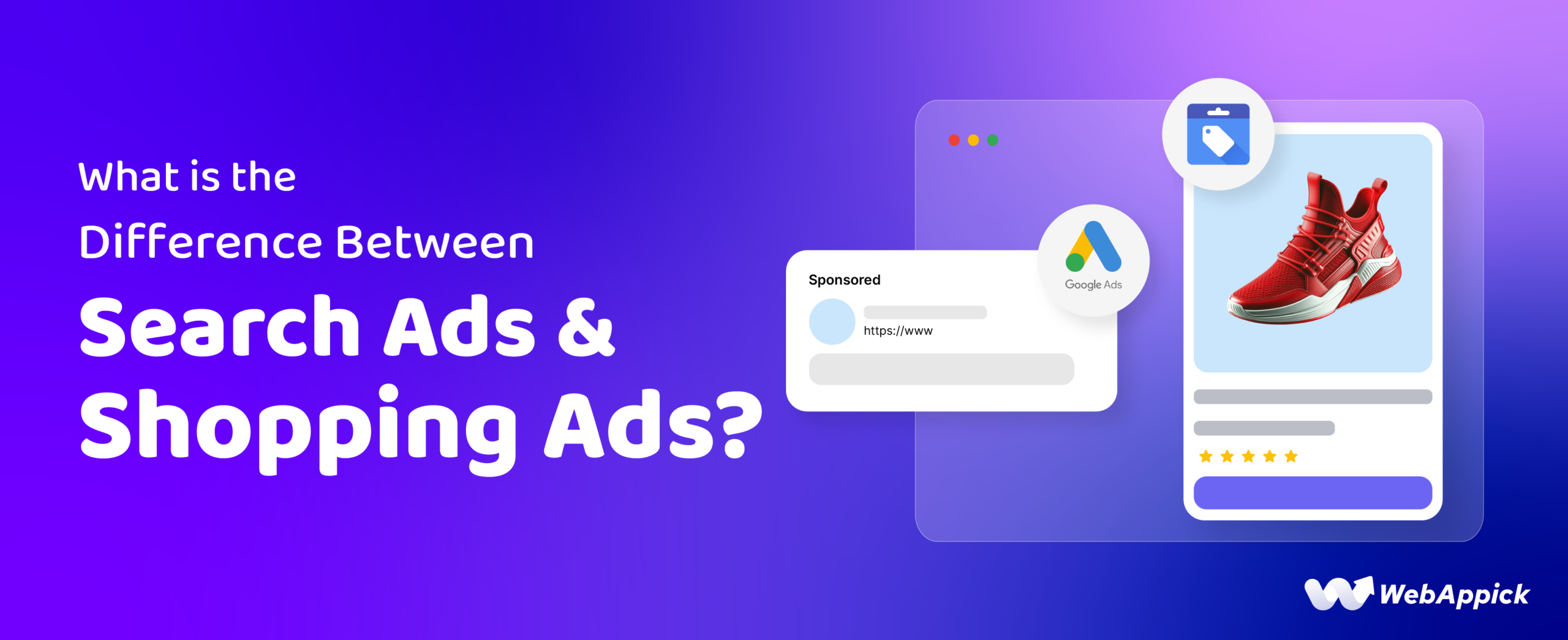
Search Ads and Shopping Ads are two different campaign types inside Google Ads. Search Ads show text listings triggered by keywords you choose. Shopping Ads show visual product cards, triggered by your product feed data rather than keywords. Search Ads work for almost any business with a clear message and a landing page. Shopping Ads work only for businesses with a physical product catalogue synced through Google Merchant Center.
This guide compares how each ad type works, when to use one over the other, what each one costs, and how to run them together.
What Are Search Ads?
Search Ads are the classic pay-per-click text ads that appear on Google Search. You select the keywords that trigger them, write the headline and description yourself, and choose the landing page. Google runs an auction each time a search matches one of your keywords, and your ad shows if your bid and quality score clear that auction.
Key characteristics:
- Keyword control: You select the exact keywords and match types that trigger your ad.
- Ad copy control: You write the headline, the description, and choose extensions such as sitelinks and callouts.
- Best fit: Services, lead generation, and any offer where written copy can explain the value.
- Format: Text only, with optional extensions.
What Are Shopping Ads?
Shopping Ads, also called product listing ads, show a product image, title, price, and store name pulled from your product feed. You upload that feed to Google Merchant Center, link it to Google Ads, and Google matches your products to relevant search queries automatically. You don’t pick individual keywords; your feed data does that matching for you.
Key characteristics:
- Feed control: Your product titles, images, and prices determine what shows and for which queries.
- Matching: Google matches queries to products using feed attributes instead of a keyword list.
- Best fit: Retailers with a product catalogue, targeting shoppers already close to buying.
- Format: A visual product card with image, price, and store name.

Search Ads vs. Shopping Ads: Side-by-Side Comparison
The table below breaks down the practical differences that affect setup, cost, and results.
| Feature | Search Ads | Shopping Ads |
|---|---|---|
| Triggering mechanism | Keywords chosen by the advertiser | Product feed data matched by Google |
| Ad format | Text: headline, description, extensions | Visual product card: image, title, price, store |
| Control over ad copy | High: you write it | Lower: your feed data drives what shows |
| Ideal use case | Services, lead generation, research-phase intent | Retail e-commerce, purchase-ready intent |
| Setup complexity | Moderate: keywords, ad copy, extensions | Feed preparation and Merchant Center compliance |
| Keyword reliance | Explicit keywords and match types | Implicit: feed attributes replace keyword lists |
| Optimization focus | Quality score, ad copy, CTR | Feed quality, product-level bids, availability |
When to Use Search Ads vs. Shopping Ads
Use Search Ads when you’re promoting a service, capturing research-phase intent, or need a copy that answers a specific problem directly. Use Shopping Ads when you have a physical product catalogue and want shoppers to see price and image before they click. Run both when you sell physical products and want full-funnel coverage: Search Ads catch discovery and brand searches, and Shopping Ads catch purchase-ready searches for specific products.
The main benefit of Shopping Ads is that shoppers see the product image, price, and store name before clicking. That filters out low-intent clicks and tends to improve conversion rate compared with a text-only ad, since the person clicking already knows roughly what they’re getting.
Cost and Performance Differences
Both formats charge per click, not per impression. You pay for a Shopping Ad only when someone clicks the product listing, the same billing model as a Search Ad.
- Cost drivers: Search Ads cost moves with keyword competition. Shopping Ads cost moves with feed quality and how closely your product data matches the query.
- Traffic pattern: Search Ads usually bring more volume from users still comparing options, which can mean higher traffic but lower conversion rate per click. Shopping Ads usually bring fewer clicks, but from users who are more purchase-ready.
- Reporting: Track impression share, CTR, conversion rate, and ROAS separately for each format. Mixing them in one campaign makes it hard to see which one is actually working.
Running Search Ads and Shopping Ads Together
Most e-commerce advertisers run both to cover different stages of the funnel.
- Keep them as separate campaigns with separate budgets so you can compare performance by format.
- Use Search Ads for early-funnel, brand, and problem-focused queries.
- Use Shopping Ads for product-specific, late-funnel queries where shoppers already know what they want.
- Test a subset of high-value keywords in Search Ads while running your full catalogue in Shopping Ads, then shift budget toward whichever performs better for your account.
What’s Changed in 2026
Google has moved Dynamic Search Ads and campaign-level broad match into a newer format called AI Max, which extends keyword matching using AI signals instead of manual keyword lists. Most eligible campaigns migrate by September 2026, with Dynamic Search Ads specifically given until February 2027. This affects Search Ads directly; Shopping Ads have a separate AI Max extension that broadens matching to conversational, long-tail queries using feed attributes.
Performance Max now handles most of the automated matching for Shopping Ads across Google’s channels. Even so, many retailers still run Standard Shopping campaigns alongside it for hero products, brand defense, and clearance stock, where manual bid control still adds value. Running both isn’t outdated; it’s the current standard hybrid setup for accounts that need precision Performance Max can’t replicate on its own.
AI Overviews and AI Mode in Search now surface product and ad information more directly than before, which makes accurate, detailed product feed data more important, not less.
Regional cost structures, currency shifts, and local competition affect Search Ads and Shopping Ads bidding differently depending on where you advertise. Check local benchmarks for your market rather than assuming global averages apply.
Frequently Asked Questions
What’s the difference between Google Search ads and Google Shopping ads?
Search ads show text triggered by keywords you choose. Shopping ads show a product image, price, and store name pulled from your product feed, and Google matches them to search queries automatically. Search ads suit services and research-stage searches. Shopping ads suit retailers with a product catalogue and purchase-ready searches.
When do you pay for a Shopping ad?
You pay only when someone clicks your product listing, the same cost-per-click model as Search Ads. Impressions and product views are free. Merchant Center itself has no separate fee; ad spend is billed through your Google Ads account.
What’s the benefit of Shopping Ads?
Shoppers see the price, image, and store name before clicking, so the clicks you get tend to come from people closer to a purchase decision. This can reduce wasted spend from browsers who were never going to buy, compared with a text-only ad.
Can I run Search Ads and Shopping Ads at the same time?
Yes. Most e-commerce advertisers run both, using Search Ads to capture brand and research searches and Shopping Ads to capture product-specific, purchase-ready searches. Keep them as separate campaigns so you can track performance and budget by format.
Which is better for e-commerce, Search Ads or Shopping Ads?
Neither wins outright. Shopping Ads usually convert better for browsable products because shoppers see the price and image first. Search Ads usually work better for niche products, services, or queries where written copy needs to answer a specific question. Most retailers run both.
Key Takeaways
- Search Ads are keyword-triggered text listings; Shopping Ads are feed-triggered visual product cards.
- Both formats bill on a cost-per-click basis; there’s no separate charge for impressions.
- Shopping Ads tend to attract more purchase-ready clicks because price and image show before the click.
- Search Ads give you more control over copy and targeting; Shopping Ads give Google more control over matching.
- Running both formats together, in separate campaigns with separate budgets, usually outperforms running either alone.
- AI Max is replacing manual matching for Search campaigns, while Standard Shopping still holds value for hero products and brand defense even as Performance Max handles broader Shopping automation.

Free version on WordPress.org. Every Pro licence includes a 30-day money-back guarantee.