If you are having trouble updating the plugin and see an error message like “Package not found”, please follow the steps below:
Step 1: Deactivate the license
- Go to CTX Feed > License.
- If the license is active, deactivate it.
Step 2: Reset domain bindings in your WebAppick account
- Log in to your WebAppick account.
- Navigate to your license details page.
- If any domain is listed under the API key, delete it.
Step 3: Reactivate the license
- Copy your API key from your WebAppick account.
- Go to CTX Feed > License in your WordPress dashboard.
- Enter the license key.
- Select your subscription type.
- Click Activate License.
Step 4: Update the plugin
- Go to Plugins in WordPress.
- Wait until the update notification reappears.
- Try updating the plugin again.
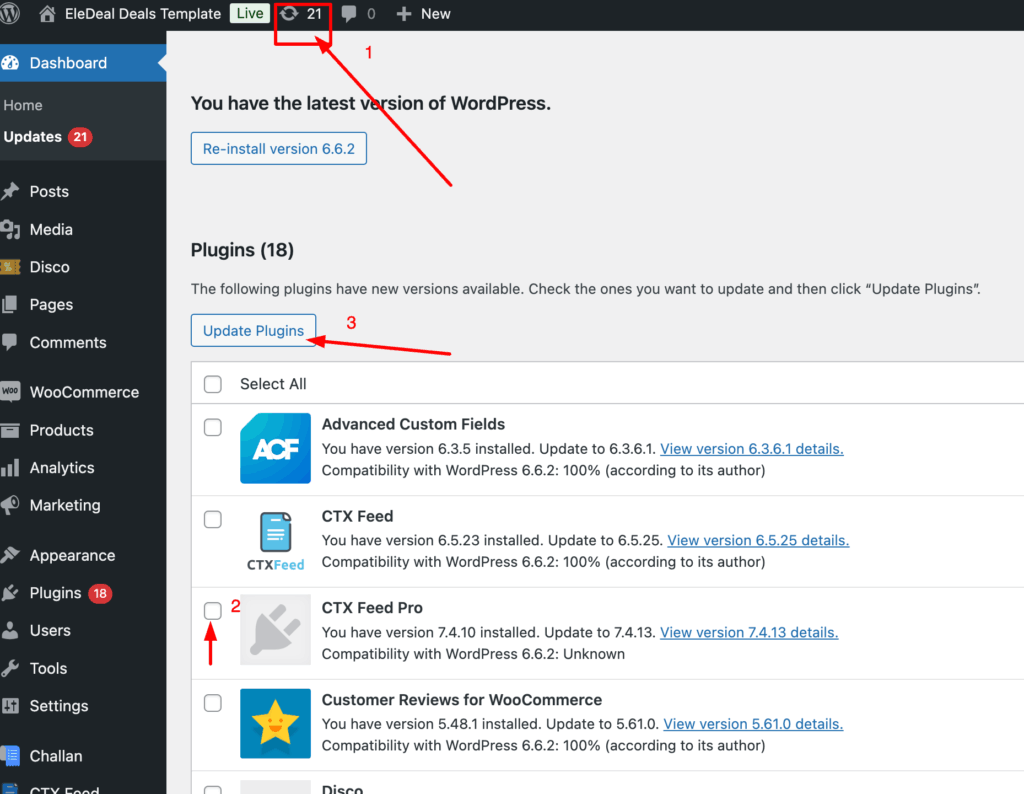
👉 You can also update the plugin directly from here:
If the problem continues, please contact us from here.